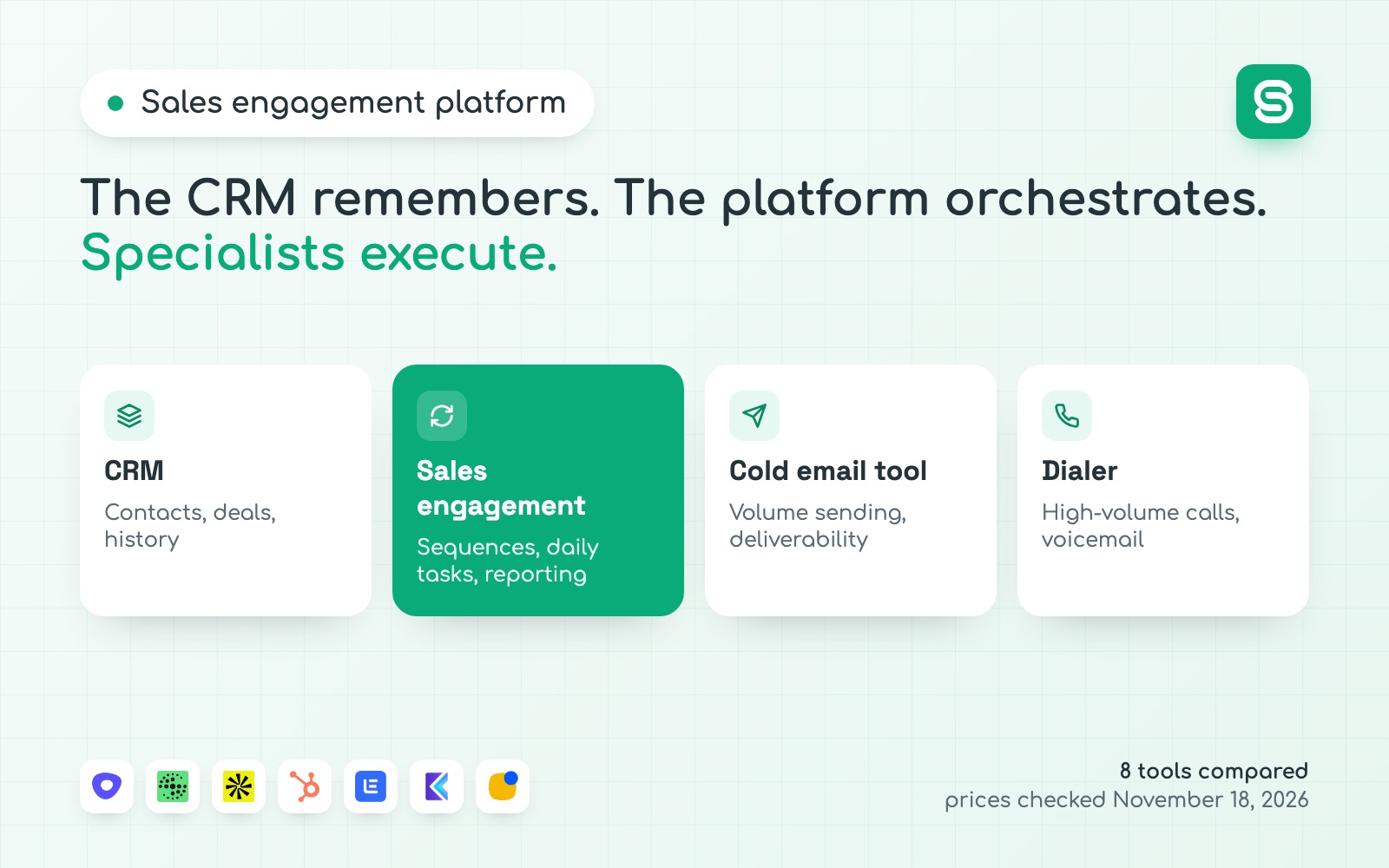
A sales engagement platform is the tool that tells every rep, every morning, who to contact, on which channel and with which message, then sends or queues those touches. The category took shape about a decade ago around Outreach and Salesloft, and it’s now one of the standard layers of a US outbound stack, sitting between the CRM and the inbox.
The problem: almost every prospecting tool now calls itself a sales engagement platform. The CRM that added sequences, the cold email tool that added a dialer, the contact database that added cadences. This guide sorts it out: what a platform really does, what it doesn’t, what it costs and how to pick one.
What is a sales engagement platform?
Sales engagement is every interaction a rep has with prospects, and by extension the software that organizes it. A sales engagement platform (SEP) does three things: it plans outreach as sequences, it executes what it can (an email goes out, a call task appears) and it measures the results of every step.
Six building blocks show up in almost every platform. They’re also the six things to check on the demo.
- 01
Sequences.
A series of dated steps: day 1 email, day 3 call, day 4 LinkedIn profile view, day 8 follow-up. Each enrolled prospect moves forward on their own, and exits when they reply, opt out or book a meeting. Salesloft calls them cadences. - 02
The daily task queue.
Every morning, the rep opens a list: 20 calls to make, 10 emails to review, 5 LinkedIn messages to send. That queue is the real product, more than the sequences themselves. - 03
Email sending.
From the rep’s own inbox, with templates, merge fields and send windows. The better platforms watch deliverability: connected inboxes, daily volume caps, bounces. - 04
Calling.
A built-in dialer, usually in the browser, that calls the prospect on the task and logs the outcome. Depth varies enormously from vendor to vendor (more on that below). - 05
CRM sync.
Contacts, activities and outcomes flow into Salesforce, HubSpot or Pipedrive. It’s the most important integration, and the one that disappoints most often. - 06
Analytics.
Open, reply and meeting rates by sequence, by step, by template and by rep; A/B tests on messaging. That’s what tells a manager what to change.
Since 2024, nearly every vendor has bolted on a seventh layer: AI that drafts emails, summarizes calls or suggests the next action. It’s useful as long as a human reviews it. Our guide to sales prospecting automation goes step by step through what you can hand to software and what has to stay human.
Sales engagement, sales enablement, inside sales: three neighboring terms
The three terms come up in the same meetings and mean different things. Sales engagement is outreach to prospects: who to contact, when, on which channel. Sales enablement is what prepares reps to sell: content, battlecards, training, coaching; Highspot and Seismic are enablement tools, not engagement tools. Inside sales isn’t a tool at all, it’s a way of organizing a team: selling remotely, by phone and video, which we break down in our guide to inside sales. An inside sales team is the natural buyer of a sales engagement platform, and often of an enablement tool next to it. Other jargon (SDR, cadence, AMD) is defined in our cold calling glossary.
The real product of a sales engagement platform is the morning task queue.
Sales engagement platform vs. CRM vs. dialer vs. cold email tool
This is the question that wastes the most money, because the four tool families overlap and each one claims it can do everything. The matrix shows each family’s typical strengths; a specific vendor can break the pattern.
Three takeaways.
The CRM: system of record, not system of action
A CRM answers “where are we with this account?” A sales engagement platform answers “what do I do today?” CRMs have added sequences (HubSpot has had them in Sales Hub for years), but they tend to be email-first, with call steps as manual tasks. If your team is small and already lives in HubSpot Professional, that may be enough. Our guide to CRM calling vs. a dedicated dialer shows where the built-in option runs out.
The cold email tool: depth on one channel
Tools like Instantly or Smartlead, and the email-only plans of lemlist and Klenty, focus on sending at volume: lots of connected inboxes, send schedules, deliverability controls. That matters, because inbox providers are tough on bulk senders. Since February 2024, Google requires anyone sending more than 5,000 messages a day to Gmail to authenticate with SPF, DKIM and DMARC, offer one-click unsubscribe on marketing mail and keep complaints under 0.3%. Yahoo enforces the same standards.
The dialer: depth on the phone
A sales engagement platform’s dialer calls the prospect on the task, then the next one when the rep clicks. A prospecting dialer runs through a list with no clicks, sometimes dials several numbers at once, screens voicemails and logs every call. The gap matters because most dials go nowhere: in a 100% anonymized Skipcall sample of 86,168 outbound B2B calls, it took 9.1 dials to get one conversation longer than 30 seconds. We compare the two dialing modes in parallel dialer vs. power dialer.
A day in the life of an SDR on a sales engagement platform
To see what the tool actually changes, follow an SDR running a 10-day sequence mixing email, calls and LinkedIn. Example written for this article.
| Time | What the platform does | What the rep does |
|---|---|---|
| 8:45 AM Log in | Shows today's queue: 42 tasks, including 25 calls, 12 emails to review, 5 LinkedIn messages | Removes two accounts that just closed, snoozes a prospect on PTO |
| 9:00 AM Email | Preps step 1 emails from the template and merge fields | Reviews, rewrites the first line for five priority accounts, approves the send |
| 10:00 AM Call block | Opens each prospect on a call step, dials on click, suggests outcomes | Calls, talks, picks an outcome; on voicemail, moves to the next one |
| 2:00 PM LinkedIn | Reminds the rep of profile views and messages due | Sends them by hand, tweaking each one to the prospect's latest post |
| 5:00 PM Wrap-up | Advances each prospect to the next step, pulls out anyone who replied | Logs meetings, flags a recurring objection to the manager |
Two things stand out. First, the platform does almost nothing on its own: it preps and reminds, the rep executes. That’s by design, and it’s what separates it from pure automation tools. Second, the call block is still the most manual part of the day: 25 calls dialed one by one, most of them landing in voicemail. That’s where a specialized dialer changes the day most, and why so many teams run both.
To write the sequence itself, our guide to B2B sales cadence covers length and touch counts that convert, and our multichannel prospecting playbook explains how each channel sets up the next.
What does a multichannel sequence look like?
The diagram walks through a 12-day sequence across three channels. It isn’t an “ideal” cadence to copy; it’s a way to see who executes what. Because that’s where tools really differ: some steps are executed by the platform (the email goes out), others are just a reminder to the rep (the LinkedIn view), and the call depends entirely on the dialer.
Three design choices worth copying, whatever the tool.
For a first draft built around your ICP, number of days and channels, our sales cadence generator produces a sequence you can paste into your tool.
How much does a sales engagement platform cost?
The prices below were checked on November 18, 2026 on each vendor’s official pricing page. They’re per user per month, billed annually unless noted. They change often, so check them again the day you decide.
 Outreach
- Published price
- None, quote per user
- Plans
- Amplify Essentials, Core, Plus, Pro (tiered by AI credits)
- Multichannel sequences
- From Core
 Salesloft
- Published price
- None, quote only
- Plans
- Not listed on the pricing page
- Multichannel sequences
- Yes (Cadence)
 Apollo
- Published price
- Basic $49, Professional $99 (monthly rate), discount on annual
- Calling
- Dialer included, connected minutes paid in credits
- Add-on
- Advanced Dialer $149 per team per month ($119 annual)
 HubSpot Sales Hub
- Published price
- Professional $90 to $100 per seat, Enterprise $150
- Onboarding
- $1,500 (Professional), $3,500 (Enterprise)
- Sequences
- From Professional, not on Starter
 lemlist
- Published price
- Email $55 per month, Multichannel $87 per user
- Calling
- Built-in dialer on the Multichannel plan
- Notable
- Email plan: unlimited users, 50,000 emails a month
Amplemarket
- Published price
- Startup $600 per month, 2 users included (annual term)
- Calling
- Outbound dialer listed on all three plans
- Notable
- Growth and Elite on quote, with 4 and 10 users included
 Klenty
- Published price
- Starter $40 per month, Growth $56, Plus $89 per user
- Calling
- 200 minutes (Growth) or 1,000 minutes (Plus) included
- Add-on
- Power and parallel dialer: $45 per user per month
 Reply.io
- Published price
- Pricing page blocked our check: ask the vendor
- Channels
- Email, LinkedIn, calls and SMS, per the vendor
- Notable
- AI prospecting agent sold separately
Three traps show up on almost every pricing page.
Over a year, the gap between the three setups comes down to a few hundred dollars per rep. So price isn’t the tiebreaker; what each setup leaves out is. HubSpot doesn’t do multi-line dialing at that tier, Apollo bills minutes in credits on top, Klenty needs an add-on for high-volume dialing. There’s another route the chart doesn’t show: a cheaper email tool, or your CRM’s own sequences, paired with a dedicated dialer for the phone. It sometimes costs more in licenses, but it puts the depth where your meetings come from.
For the wider landscape (databases, CRMs, dialers), see our roundup of the best sales prospecting tools, organized by category and team size.
Best sales engagement software in 2026
Eight tools, from the most “enterprise” to the most accessible. For each: who it’s for, what it does, strengths, limits and pricing. Features come from each vendor’s official pages, checked November 18, 2026.
Outreach
Best for: sales orgs with dozens of reps, usually on Salesforce, who want one platform for prospecting, deal management and forecasting.
Outreach is one of the two original names in the category. Its pricing page, now on the outreach.ai domain, lists four “Amplify” plans that differ mainly in the volume of AI credits included.
- Multichannel sequences: from the Core plan.
- Built-in dialer: Outreach Voice, on all four plans.
- AI agents: account research, meeting prep, deal follow-up, live coaching.
- Covers prospecting and deal management in one tool.
- Built for large teams, with deep reporting.
- No public pricing: everything goes through a sales rep.
- Overkill for a team under ten people.
- Quote-based, “per user, no platform fees,” according to the pricing page.
Salesloft
Best for: large teams that want cadences, conversation intelligence and AI agents in one enterprise platform.
The other original name in sales engagement. Its pricing page lists no plans and no prices: it routes you to a sales meeting. It highlights three blocks: cadences, conversation intelligence and AI agents.
- Mature platform, widely used by US sales teams.
- Cadences and conversation intelligence under one roof.
- No public pricing information.
- Channels and dialing aren’t detailed on the pricing page: get specifics on the demo.
- Quote only.
Apollo
Best for: teams without a contact database yet who want to find prospects and reach them in the same tool.
Apollo started as a B2B database and added email sequences, a dialer and AI on top. Its edge is that mix: the list and the sequence in one place.
- Email sequences: from the Basic plan.
- Dialer: included on paid plans, calls billed in credits per connected minute.
- Advanced Dialer: power dialing, parallel dialing and international calls, as an add-on.
- Data and sequences in one tool.
- Free plan to try it out.
- Credits are pooled across the team and expire every cycle.
- High-volume dialing requires a paid add-on.
- Free $0, Basic $49, Professional $99 per user per month at the published monthly rate; lower on annual.
- Advanced Dialer: $149 per team per month, $119 on annual.
What Apollo’s dialer includes, and where it stops, is covered in our breakdown of the Apollo dialer’s limits.
HubSpot Sales Hub (Sequences)
Best for: teams already on HubSpot Professional who want email sequences without adding another tool.
HubSpot isn’t a sales engagement platform in the strict sense, but its sequences cover part of the job, right inside the CRM. The key detail is the tier: sequences start at Sales Hub Professional.
- Sequences: 5,000 per account, up to 500 emails per user per day on Professional, 1,000 on Enterprise.
- Calling: 3,000 minutes a month for the whole account on Professional, 12,000 on Enterprise.
- Workflow-triggered enrollment: Enterprise.
- Nothing to sync: it all lives in the CRM.
- One vendor, one contract.
- No sequences on Starter.
- Calling minutes shared across the account, power dialer limited to Enterprise.
- Professional: $90 to $100 per seat per month depending on billing, plus a mandatory $1,500 onboarding fee.
- Enterprise: $150 per seat per month, plus $3,500 onboarding.
The calling caps in detail are in our guide to HubSpot calling limits.
lemlist
Best for: small and mid-size teams that prospect mostly by email and LinkedIn and want to add calling without switching tools.
Built on personalized cold email, lemlist has two public plans: an Email plan billed per account with unlimited users, and a per-user Multichannel plan that adds LinkedIn, SMS and a built-in dialer.
- Email plan: unlimited users and senders, 50,000 emails a month.
- Multichannel plan: LinkedIn and SMS automation, built-in dialer, AI call summaries and CRM fill.
- Data: add-on at $16 a month for 2,000 credits.
- Strong on email personalization.
- Simple, public pricing.
- No multi-line dialing advertised.
- No calls from the app during the trial.
- Email: $55 a month billed annually ($69 crossed out).
- Multichannel: $87 per user per month billed annually ($109 crossed out). Enterprise on quote.
To call the contacts in a lemlist campaign with a dialer, see our lemlist integration page.
Amplemarket
Best for: US startups and scale-ups that want data, email, LinkedIn and calling bundled in one contract, and are fine buying in team packs.
Amplemarket sells team plans rather than single seats: the entry Startup plan includes two users, Growth four and Elite ten. Only Startup has a published price. Its comparison table lists an outbound dialer on all three plans.
- Data credits included: 13,500 email and 600 phone credits per user per year on Startup.
- Mailboxes: from 2 per user on Startup, 8 on Elite.
- Outbound dialer: listed on every plan.
- Database, sequences and dialer in one tool.
- Phone credits included, rather than an extra data contract.
- Annual term and team packs: less flexible for a one-rep start.
- Dialer depth (lines, voicemail screening) not detailed on the pricing page.
- Startup: $600 a month, annual term, 2 users included.
- Growth and Elite: custom quote.
Klenty
Best for: SDR teams that want multichannel sequences with calling minutes included, and high-volume dialing as an option.
Klenty goes furthest on the phone in this comparison: minutes included from the Growth plan, AI voicemail and phone-tree detection, and a power and parallel dialer add-on. Our Klenty alternatives page compares it with dedicated dialers.
- Starter: email only, unlimited users and inboxes, 75,000 emails a month.
- Growth: multichannel, 2,000 data credits, 200 calling minutes, AI voicemail detection.
- Plus: 1,000 minutes, live transcription, objection detection, AI call scorecards.
- Calling minutes included in the price.
- Public, readable pricing.
- Power and parallel dialing is a paid add-on.
- Local presence numbers are an add-on too ($50 per seat per month).
- Billed annually: Starter $40 a month, Growth $56 and Plus $89 per user per month.
- Power and parallel dialer add-on: $45 per user per month.
Reply.io
Best for: teams that want a multichannel platform with an AI agent that can write and reply.
Reply.io positions itself as a multichannel platform (email, LinkedIn, calls, SMS) with an AI prospecting agent. Its pricing page blocked our checking tools on November 18, 2026, so we don’t quote any prices. Ask for plan details, and especially for what’s included on the calling side.
- Broad multichannel coverage advertised.
- AI agent for teams that want to hand off writing.
- Prices not verified as of this article’s date.
- The more an AI agent writes on its own, the more review matters.
Where Skipcall fits, honestly

Skipcall isn’t a full sales engagement platform, and it would be misleading to pitch it as one. It’s phone prospecting software: a dialer with call sequences. Those sequences chain outbound calls through a list; email, scheduled texts and LinkedIn aren’t orchestrated in them. Exactly one thing goes out automatically: when the AI detects voicemail, a prerecorded voicemail or a text, depending on your settings.
 Skipcall
- What it does
- Call sequences: power dialer, parallel dialer on up to 4 lines, AI voicemail detection with an automatic voicemail drop or text
- Around the call
- Recording, AI transcription and summaries, tasks, sync with HubSpot, Pipedrive, Salesforce, Attio
- What it doesn't do
- No email, scheduled SMS or LinkedIn steps in sequences, no contact database
- Price
- Starting at $70 per license per month (Starter, billed annually), one license, no commitment
So it fits two setups. Either next to a sales engagement platform or cold email tool that handles email and LinkedIn while Skipcall produces the calls; the two connect through the API or through the CRM integration, which pushes every call into HubSpot, Pipedrive, Salesforce or Attio. Or on its own with the CRM, for a team whose main channel is the phone. Call sequences are detailed on our sequences page.
When does a sales engagement platform make sense?
Not from your first rep. A platform costs a license per head, an onboarding fee and setup time; it only pays off if it fixes a problem you already have. The six signals below are the ones that justify the purchase in practice. Check three or more and the tool will pay for itself; check one or none and a written cadence plus your CRM will do for now.
| Signal | What you see | What the platform changes |
|---|---|---|
| Forgotten follow-ups Execution | Interested prospects who never get a second touch because nobody was reminded | A daily task queue nobody can ignore |
| Several reps, several methods Consistency | Everyone has their own cadence, template and rhythm | The same sequences for everyone, comparable side by side |
| No step-level data Management | You know how many meetings, not which step produced them | Reply rates by step, by template, by rep |
| Two channels that matter Multichannel | Email and phone both book meetings | One flow that orders both channels |
| Copy-paste emails Time | Reps paste their follow-ups from a Google Doc | Templates with merge fields, sent from the rep's inbox |
| New SDRs ramping Onboarding | Every new hire rebuilds a method from scratch | A proven sequence, ready on day one |
One signal isn’t on the list, even though you hear it all the time: “our reps don’t make enough calls.” A sales engagement platform creates call tasks; it doesn’t make them faster to execute. If the problem is time spent dialing and listening to voicemail greetings, the fix is a dialer, not sequences. Our dialer quiz helps figure out which one.
How do you choose a sales engagement platform?
Start from your main channel, not the feature list. A platform that does everything adequately will lose, on your channel, to a specialist. The tree gives you the order of the questions.
Once you’ve picked the family, six criteria separate the tools.
Rules that apply whatever tool you pick
CAN-SPAM. The FTC’s CAN-SPAM compliance guide is blunt: “The law makes no exception for business-to-business email.” Every sequence email needs accurate sender info, a non-deceptive subject line, your physical postal address and a working opt-out honored within 10 business days. Each violating email can cost up to $53,088.
TCPA. The live call a rep dials to a business line needs no consent. But sequence steps that send a prerecorded voicemail or an automated text to a cell phone do: prior express written consent for telemarketing, with no B2B exemption on mobiles. New FCC rules on revoking consent take effect November 25, 2026; our article on the November 2026 TCPA changes has the details. An opt-out received on any channel has to stop the sequence on every channel.
LinkedIn. LinkedIn’s User Agreement prohibits using bots or other unauthorized automated methods to add contacts or send messages. Platforms that automate LinkedIn put the rep’s account at risk; the safe move is to keep sending under human control.
This section is general information, not legal advice.
Questions to ask on the demo call
Copy this list and ask it word for word. Vague answers are answers.
How do you roll out a sales engagement platform in 30 days?
Most platforms fail on adoption, not technology: reps keep working the way they always did, and the tool becomes another line on the AmEx bill. A four-week rollout, one step at a time, avoids that.
- 01
Week 1: connect the CRM and the inboxes.
Set up two-way sync, the fields that flow and who creates records. Connect sending inboxes with SPF, DKIM and DMARC in place. Ask the vendor for its SOC 2 report and the list of subprocessors. Import a single test list. - 02
Week 2: one sequence, two reps.
Write a short sequence (five or six steps) with its exit rules, and have two volunteer reps run it. Check that an opt-out taken on the phone really stops the emails. - 03
Week 3: the whole team, the morning queue.
Roll out to the team with one simple rule: the day starts in the platform’s task queue, not the inbox. The manager walks through the queue with each rep the first Monday. - 04
Week 4: first look at the numbers.
Reply rate by step, meetings by rep, zero-reply steps. Cut one useless step, test a variant on another. Only then decide whether to add a second sequence.
Two tips from the field. Don’t migrate all your old campaigns: starting clean with one measured sequence beats hauling over ten sequences nobody knows the results of. And keep coaching outside the tool: the platform tells you which step works, not why one rep books fewer meetings than the rep next to them. For that, see our roundup of sales coaching software.
What mistakes should you avoid with a sales engagement platform?
Buy the deepest tool for your main channel, and the simplest one for the rest.
What to remember
- The sales engagement platform orchestrates, the CRM remembers, specialists execute in depth. The three work together.
- The real product is the daily task queue, with multichannel sequences and step-level reporting on what books meetings.
- Published prices start around $56 per user per month for multichannel plans; Outreach and Salesloft are quote-only; HubSpot sequences start at Professional; Amplemarket sells in team packs from $600 a month.
- The phone is the least covered channel: click-to-call dialers, with multi-line dialing and voicemail screening often sold as add-ons.
- Choose by main channel, then team size and CRM, and ask the 12 demo questions before you sign.
- Roll out one sequence at a time, with exit rules on every channel, and read the step-level numbers after a month. CAN-SPAM applies to every email, the TCPA to every prerecorded voicemail and automated text.
Sources
Official pricing pages, checked November 18, 2026:
- Outreach pricing
- Salesloft pricing
- Apollo pricing
- HubSpot Sales Hub pricing
- lemlist pricing
- Amplemarket pricing
- Klenty pricing
- Reply.io pricing (page blocked our checking tools)
Rules and legal framework:
- FTC, CAN-SPAM Act: a compliance guide for business.
- Google, email sender guidelines.
- Yahoo, sender best practices.
- LinkedIn, User Agreement, section 8.2.
- Skipcall, 100% anonymized sample of 86,168 outbound B2B calls (9.1 dials per conversation longer than 30 seconds).