Every sales coaching software homepage makes the same promise: reps who ramp faster, managers who coach without giving up their evenings. Behind the promise, the tools have almost nothing in common. Some analyze your real calls, some put your reps in a role play against an AI buyer, some let a manager listen in live. And most of them will not tell you the price until you sit through a demo.
This comparison sorts ten call coaching tools by what they actually do, with prices where they exist and the questions to ask where they don’t. It pairs with our guide to building a sales coaching program, which covers the method: software does nothing without rituals, a scorecard and one focus per rep. For transcription alone, see our roundup of the best call transcription software. For listen, whisper and barge, see live call coaching.
What is sales coaching software?
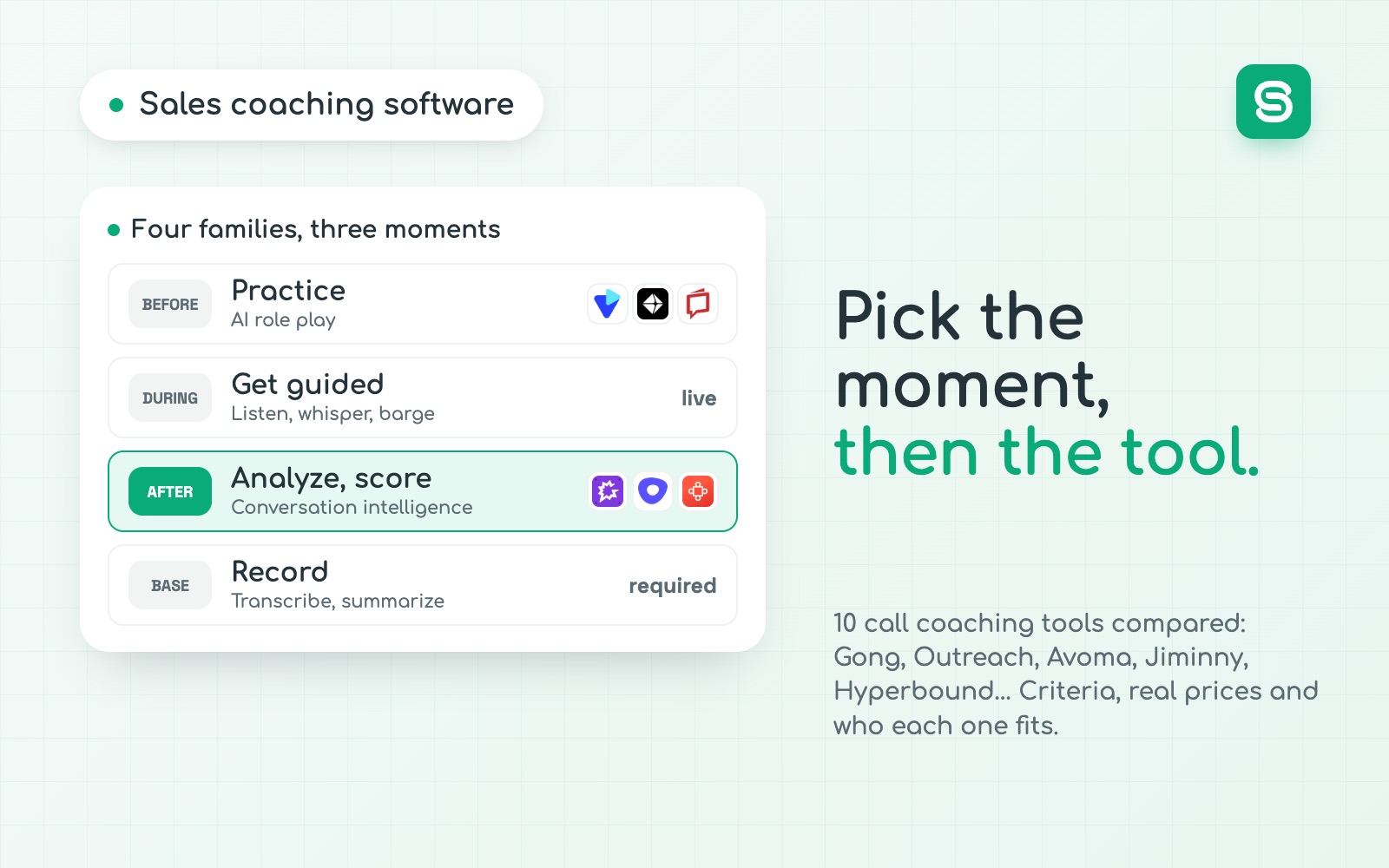
Sales coaching software helps a manager improve reps based on their conversations with customers and prospects (our glossary has the short definition of call coaching). In practice, the term covers four product families that act at different moments of the call.
Conversation intelligence records, transcribes and analyzes calls and video meetings: topics, talk time, competitor mentions, deal progress. Coaching is one feature among several, through scorecards, time-stamped comments and call libraries. This is the family of Gong, Chorus, Outreach, Jiminny, Avoma and Salesloft. Our explainer on conversation intelligence for sales covers the category in more depth.
AI role play puts the rep in a conversation with a simulated buyer that answers, objects and hangs up like a real prospect, then scores the performance. This is the family of Second Nature, Hyperbound and Allego, which Gong joined with its AI Trainer.
Live coaching lets a manager listen to a call, whisper advice the prospect cannot hear, or barge in. These features mostly come with business phone systems and dialers; we compare them in live call coaching and do not repeat that here.
Recording and transcription are not coaching strictly speaking, but nothing gets coached without them. Plenty of teams need nothing more than this base, a scorecard and a method.
What separates a coaching tool from an analytics tool
An analytics tool answers “what happened on our calls?” A coaching tool answers “what does this rep need to change, and did they change it?” The difference shows in three features: a scorecard you can write yourself, a way to attach a focus or an exercise to a specific call, and a trend line over time for the skill being worked on. A tool with only team dashboards analyzes; it does not coach. For what a plain AI call summary already gives you, see our guide to AI call transcription and summaries.
Sales coaching software compared at a glance
Checked November 18, 2026 on vendor websites and public documentation. Prices are list prices before tax; “quote-only” means no price is published.
 Gong
- Family
- Conversation intelligence and AI role play (AI Trainer)
- Coaching strength
- AI-scored scorecards, practice scored with the same scorecards
- Price
- Quote-only: per-user license plus platform fee
- Best for
- Large teams, long sales cycles
 Chorus (ZoomInfo)
- Family
- Conversation intelligence
- Coaching strength
- Spots winning behaviors, ZoomInfo data attached
- Price
- Quote-only
- Best for
- Teams already on ZoomInfo
 Outreach
- Family
- Sales engagement platform with conversation intelligence
- Coaching strength
- AI Coach Cards with automated scoring, live content cards
- Price
- Quote-only, per user, no platform fee per its pricing page
- Best for
- Teams that already sequence in Outreach
 Salesloft
- Family
- Sales engagement platform with conversation analysis
- Coaching strength
- Coaching inside the tool where reps sequence and dial
- Price
- Quote-only
- Best for
- Teams already on Salesloft
 Jiminny
- Family
- Conversation intelligence
- Coaching strength
- A Scale plan built for coaching, separate viewer seats
- Price
- Quote-only, 12-month minimum, setup fee
- Best for
- Mid-size teams, often multilingual
 Avoma
- Family
- Meeting assistant and conversation intelligence
- Coaching strength
- Custom AI scorecards in the add-on
- Price
- From $19 per user per month (annual), add-on $29
- Best for
- Small and mid-size teams on a budget
 Allego
- Family
- Sales enablement and AI role play
- Coaching strength
- Avatar role play, manager scoring, certifications
- Price
- Quote-only, billed annually, often 3-year contracts
- Best for
- Large orgs with an enablement team
 Second Nature
- Family
- AI role play
- Coaching strength
- Conversation practice against a simulated buyer
- Price
- Quote-only
- Best for
- Teams that hire and onboard a lot
 Hyperbound
- Family
- AI role play plus real call scoring
- Coaching strength
- AI buyers built on your playbook, 25+ languages
- Price
- Limited free plan, paid plans quote-only
- Best for
- SDR teams drilling cold calls
 Skipcall
- Family
- Outbound calling platform with recording and transcription
- Coaching strength
- Every call recorded, transcribed, summarized and searchable
- Price
- Starting at $25 per license per month (annual), no commitment
- Best for
- Phone-heavy teams coaching with their own scorecard
How we picked and checked these tools
We kept the tools that come up most in US roundups of call coaching software, with at least one representative of each family. For each one, we read the pricing page, the product page and, where public, the help documentation, on November 18, 2026. When a price is not published, we say so, and we only quote an estimate if we can name its source. Skipcall is on the list because some of our customers use it as the base of their coaching; we also say what it does not do.
We left out tools whose coaching is limited to inbound contact center supervision, and note-takers with no scoring feature.
The sales coaching tools, reviewed
Gong
Best for: sales leaders of large teams who want coaching, deals and forecasting in one platform.
Gong is the reference in conversation intelligence. It pulls calls from your phone system and video meetings, transcribes them and analyzes them. On coaching, its documentation describes two features that go further than most. AI Call Reviewer answers scorecard questions, either by suggesting an answer the manager keeps or edits, or by scoring matching calls automatically. AI Trainer has reps practice conversations built from real calls, scored with the same scorecards as the real thing.
One limit to know: according to Gong’s documentation, automated scoring has to be switched on by an admin and does not apply to voicemails or calls with fewer than 100 transcribed words. For an SDR team, where many calls are short, a large share of the activity escapes automated scoring.
- Scorecards, with AI-suggested answers or automated AI scoring
- AI Trainer: role play built on your calls, scored with your scorecards
- Coaching resources tied to a scorecard (reference call, exercise)
- Coaching and practice share the same scorecard
- Very deep deal analysis
- No automated scoring on very short calls
- Oversized and expensive for a small team
- Not published: the pricing page describes a per-user license plus a platform fee that depends on the number of users. Third-party estimates reported by Quo put the platform fee at $5,000 to $50,000 a year and seats at $1,300 to $1,600 per user per year.
Chorus (ZoomInfo)
Best for: teams already on ZoomInfo who want call analysis tied to contact and company data.
Chorus is ZoomInfo’s conversation intelligence product. It captures and analyzes calls, meetings and emails. Its product page highlights identifying winning behaviors, shortening ramp for new hires and enforcing the sales methodology, along with metrics such as talk time and filler words. Its distinctive asset is the ZoomInfo data attached to each conversation.
- Spots what top reps do differently
- Conversation metrics: talk time, filler words
- ZoomInfo contact data attached to calls
- A natural fit for teams already on ZoomInfo
- Covers calls, meetings and email
- Coaching features thinly documented in public
- Less compelling outside the ZoomInfo ecosystem
- Not published, available through a demo request.
Outreach
Best for: teams that already run their sequences in Outreach and want call coaching where reps already work.
Outreach started as a sales engagement platform and has folded conversation intelligence into its plans. Its pricing page lists four “Amplify” tiers sold per user with AI credits. Conversation intelligence and coaching show up from the entry tier: “AI Coach Cards with Automated Scoring,” real-time content cards during calls, transcription and meeting insights. The page states “per user pricing, no platform fees,” which is worth noting next to Gong’s model. For the bigger picture on this kind of platform, see our guide to sales engagement platforms.
- AI Coach Cards with automated scoring
- Real-time content cards during live calls
- Conversation intelligence and call insights
- No extra tool for reps already in Outreach
- No platform fee, per its pricing page
- Makes most sense if you sequence in Outreach
- No dollar amounts published
- Not published: every tier links to “Request pricing,” with AI credits ranging from 10,000 to 100,000 depending on the plan.
Salesloft
Best for: teams that already sequence and dial in Salesloft and want to coach without adding a tool.
Salesloft is a sales engagement platform first: cadences, calls, email. Its conversation module adds recording and analysis, and the company merged with Clari, the forecasting specialist (deal announced in August 2025). Its coaching value comes down to one fact: the rep is already in the tool, so feedback lands where they work.
- Conversation analysis inside the engagement platform
- Coaching tied to cadences and calls
- No extra tool for reps
- Activity and conversation data in one place
- Mostly relevant if you are already on Salesloft
- Plan details not published
- Not published: the pricing page routes to sales.
Jiminny
Best for: mid-size teams, often multilingual, who want a coaching-specific plan without paying full seats for everyone.
Jiminny is a UK-based conversation intelligence tool. Its pricing page shows three plans: Capture (recording, transcription and summaries), Scale, built for managers who coach regularly on real calls, and Grow, for performance management. Useful for budgeting: three seat types, one for people who record, one for managers and coaches, and a viewer seat for people who only read transcripts and summaries.
- Scale plan dedicated to coaching on real calls
- Separate seats for managers and viewers
- 14-day free trial, no credit card
- No platform fee announced
- Viewer seats so you don’t pay full price for everyone
- 12-month minimum commitment
- Setup fee, amount not published
- Quote-only based on the number and type of seats; monthly or annual billing, with an annual discount.
Avoma
Best for: small and mid-size teams who want AI call scoring at a price they know in advance.
Avoma is a meeting assistant that grew into conversation intelligence. It is the only tool in this comparison with a full public price list. Read it carefully: the base plans include only “limited” analysis, and what makes it a coaching tool (AI coaching recommendations, automated call scoring, custom AI scorecards) sits in the Conversation Intelligence add-on, sold separately. Viewer seats are free: only people who record pay.
- AI coaching recommendations
- Automated call scoring
- Custom AI scorecards
- Published prices, no quote needed
- Free viewer seats
- Coaching only with the paid add-on
- Built for video meetings first
- Startup: $19 billed annually, $29 monthly. Organization: $29 annually, $39 monthly. Enterprise: $39, annual only.
- Conversation Intelligence add-on: $29 annually, $35 monthly. Source: Avoma’s pricing page.
Allego
Best for: large sales orgs with an enablement team that want content, practice and certification in one place.
Allego comes from sales enablement. Its AI role play has reps practice against video avatars, with instant feedback on talk track, objections and messaging; the manager scores attempts with a rubric, compares tries side by side and issues certifications. One module combines training with conversation analysis. Per its pricing page, AI features and support are included at no extra cost.
- Role play against AI avatars, real-time feedback
- Manager scoring, side-by-side attempt comparison
- Certifications and readiness dashboards
- Links training, practice and the field
- Ready-made scenarios for common situations
- Long contracts, often three years
- Needs a team to build and run content
- Not published: per user per month, paid annually, depending on seat count and contract length. Implementation services billed on top.
Second Nature
Best for: teams onboarding a lot of new reps who need practice before their first live calls.
Second Nature specializes in AI role play: the rep practices with a virtual buyer that asks questions, pushes back and reacts, then gets a score and tips. It targets enterprises and large rollouts, with scenarios built around your offer. It does not analyze your real calls. It prepares reps to make them.
- Practice conversations against a simulated buyer
- Score and tips after every attempt
- Scenarios customized to your offer
- Unlimited reps, no manager tied up
- Useful to certify a pitch before reps go live
- Never hears your real calls
- Price not published, third-party estimates vary widely
- Quote-only, usually on an annual contract.
Hyperbound
Best for: SDR teams that want reps to drill their cold call opener and objections, then score real calls with the same scorecard.
Hyperbound runs AI buyers built around your sales process and scores reps on criteria such as an opener that asks permission. Its homepage lists 25+ languages and SOC 2 Type II and ISO 27001 certifications. The free plan gives access to 45 ready-made role plays and sample scorecards, with no real call scoring. The Practice plan adds custom buyers and scorecards; the Perform plan adds real call scoring and conversation analysis.
- Custom AI buyers, built for cold calling
- Custom AI scorecards
- Real call scoring on the Perform plan
- Free plan to test before buying
- Same scorecard for practice and the field
- Paid plans quote-only
- Free plan stops at practice
- Free (limited); Practice and Perform quote-only, per user, per the pricing page.
 Skipcall
Best for: phone-heavy teams who want every call recorded, transcribed and searchable, so they can coach with their own scorecard.
Skipcall is our outbound calling platform: power dialer, four-line parallel dialer, sequences, and native integrations with HubSpot, Pipedrive, Salesforce and Attio. For coaching, what matters is recording, transcription and an AI summary of every call, attached to the contact record, with search across the transcripts of every call on the team. The dashboard shows each rep’s volumes and conversion rates, to tie back to the skill being coached. Customer data is hosted in the European Union.
To be clear about the limits: Skipcall does not score calls against a scorecard, does not offer AI role play, and does not offer live listen or whisper today. Skipcall Rooms, in preparation, will let managers listen to and guide their reps during call sessions; no date has been announced. To score calls, use our free sales call scorecard.
- Recording, transcription and AI summary of every call
- Search across the whole team’s transcripts
- Dashboard by rep, period and sequence
- Coaching and prospecting in the same tool
- Published prices, one license possible, no commitment
- No scorecards or automated scoring
- No live listen or AI role play today
- Starting at $25 per license per month (Business VoIP plan, billed annually), transcription and AI summaries included. Details on the pricing page.
Three more coaching tools worth knowing
These three come up often in US shortlists. We don’t review them at the same depth because coaching is an option inside a broader product, but each deserves a look depending on your setup.
How much does sales coaching software cost?
Simple question, messy answer: of the nine coaching vendors reviewed in depth (Skipcall aside, which publishes its prices but does not score calls), only one publishes a full price list. Among the three extra tools above, Claap and HubSpot publish prices too. What we can show is how the bill gets built and what range to expect.
| Cost line | What it covers | Who charges it (examples) |
|---|---|---|
| Per-user license | The base price, per rep who records | Everyone |
| Platform fee | An annual flat fee tied to account size | Gong |
| Coaching add-on | Scoring and scorecards, sold separately | Avoma |
| Setup fee | Configuration, integrations, onboarding | Jiminny, Allego, HubSpot |
| Commitment | 12 months minimum, sometimes 2 or 3 years | Jiminny, Allego |
Spread over a typical contract length, those numbers change scale. The chart below compares, for ten reps over three years, two tools with published prices and Gong’s estimated range.
The cost nobody prices in: manager time
The license is the small line. The big one is the time managers spend listening, scoring and running one-on-ones, and it barely changes from one tool to the next. A $50,000-a-year platform that managers never open costs $50,000 for nothing. Before you sign, ask who will run the coaching rituals every week and which sales KPIs you will track to judge the effect. Our sales coaching program guide puts that time at about three hours a week for six reps.
Coaching software that managers never open is the most expensive line in the budget.
How to choose call coaching software
Vendor comparison grids all look alike. Here are the criteria that actually matter once the tool is live, in the order we would check them.
- 01
Where do the calls come from?
The tool has to capture calls from the phone system or dialer you use today, not just Zoom. Ask for the list of supported dialers and whether each call arrives tied to the right rep, contact and opportunity. A tool that misses a third of the calls coaches on the other two thirds. - 02
Does transcription hold up on your calls?
Test it on your own calls, with your reps’ accents, your product names and the noise of a sales floor. A transcript that garbles your competitors’ names makes search useless and AI scores wrong. - 03
Can you write your own scorecard?
A scorecard imposed by the vendor never matches your playbook. Check that you can build several (one per call type), weight criteria and see one rep’s trend on one criterion over time. - 04
Can you check the AI's scores?
For every score, the tool should show the transcript passage behind it. A score with no evidence cannot be discussed with a rep. Ask what does not get scored, too: short calls, voicemails, other languages. - 05
Can you build a call library?
Playlists of reference clips, by moment of the call, that new hires listen to during ramp. After a year, it is often the most used feature. - 06
Does practice start from your real calls?
If the tool offers role play, scenarios should be able to use your real objections and be scored with the same scorecard as live calls. Otherwise practice and the field speak two different languages. - 07
Where are recordings stored, and who can see them?
Hosting location, SOC 2 report, subprocessors, configurable retention, deletion on request, a data processing agreement, and a BAA if you sell into healthcare. Recorded sales calls are personal data about your employees and your prospects. - 08
What does the 'sentiment analysis' measure?
Ask whether the tool builds voiceprints (Illinois’ biometric privacy law covers them) and whether its emotion features can be switched off. If any of your reps work in the EU, the AI Act has banned workplace emotion recognition since February 2, 2025, outside medical or safety reasons. - 09
What does it cost over three years?
Seats, platform fee, coaching add-on, setup, commitment length, viewer seat pricing. Compare the total over the contract, not the monthly number shown in the demo.
Which sales coaching software fits your team?
The right tool depends less on its features than on two facts: the size of the team you coach and what you want to fix first. The tree below asks the three questions in order.
Free sales coaching software: what can you do with no budget?
Plenty of teams look for a free tool. There is no free, complete coaching platform, but every building block has a no-cost version that is good enough to launch a program and learn what you will want to buy later.
| Need | Free option | Its limit |
|---|---|---|
| Score a call | Our online sales call scorecard, with export | Manual scoring, no automatic history |
| Practice objections | Our objection handling practice, or Hyperbound's free plan | Generic scenarios, not your real buyers |
| Self-review | The 15-minute routine after each call block | Depends on the rep's discipline |
| Track the focus | A spreadsheet: one row per rep per week | No link to the recordings |
| Record video calls | Claap's Basic plan | Limited volume, no AI coaching |
What is almost never free is recording and transcribing the phone calls themselves: that comes from your phone system. If yours already does it, you have the essentials. For talk time, a simple measure is enough to start: our article on the talk-to-listen ratio explains how to read it.
AI role play: what it replaces, and what it doesn’t
AI role play is the fastest-growing category, and the one making the biggest promises. It is also a clean example of the line between what can be automated and what stays human, which we draw in our article on sales prospecting automation. It solves a real problem: a role play between teammates ties up two people, rarely runs more than two or three times, and the teammate playing the prospect is usually too nice. An AI runs the same objection twenty times, at midnight if needed, and never gets bored.
It does not solve everything. The simulated buyer reacts like an average buyer, not like the CFO your SDR called on Tuesday. It does not know which focus the manager set, or why a given rep loses calls at the forty-second mark. And a great score in simulation proves nothing until the behavior shows up on a real call.
Before you buy a tool, test the format for free. Our cold call role play scenarios work in pairs, and our online objection handling practice lets reps drill alone. If the team actually uses them for a month, a paid tool makes sense.
Is AI call scoring reliable?
AI scoring promises to fix coaching’s core problem: a manager can only listen to a small share of the team’s calls. It delivers on sorting, much less on judging.
First, it has technical limits. Gong, one of the most advanced tools, does not score voicemails or calls with fewer than 100 transcribed words. For an SDR team, that excludes a big chunk of the short calls, precisely the ones where the opener failed. Then it has method limits: the AI scores what you ask it to, and a fuzzy criterion (“did the rep build trust?”) produces fuzzy scores.
The right use of AI scoring: flag the calls worth a listen (the longest one with no meeting, the one where the price objection came up three times) and track one criterion across dozens of calls. The wrong use: stack-ranking reps on their average score or bringing it to a performance review.
The questions to ask in a demo
A demo always shows the best call from the best customer. These questions bring the conversation back to your team.
How do you run a 30-day pilot before signing?
You can judge a demo in an hour; you judge coaching software in a month. Ask for a paid or free 30-day pilot with two or three reps and one manager, and give yourself one go/no-go question per week. If the vendor refuses any pilot, that is already an answer.
The comparison sheet to copy
To pick between two or three tools at the end of their pilots, score each one 0 to 3 on six weighted criteria. The weights below suit a phone prospecting team; change them, but set them before the demos, not after.
| Criterion | Weight | What earns 3 out of 3 |
|---|---|---|
| Call capture | × 3 | Every call from your dialer, tied to the right rep and contact |
| Transcription quality | × 3 | Product and competitor names right on your 20 test calls |
| Custom scorecards | × 2 | Several scorecards, weighted criteria, one criterion tracked over time |
| Verifiable scoring | × 2 | Every AI score links to the passage behind it |
| Data and compliance | × 2 | SOC 2 report, DPA, configurable retention, no voiceprints or emotion scoring |
| Three-year cost | × 1 | Total in writing, no commitment beyond 12 months |
Call coaching software and US recording law
Coaching software processes recordings of your employees and your prospects, so recording rules apply whatever tool you pick. The federal Wiretap Act needs only one party’s consent, but around eleven states, including California, Florida, Illinois and Pennsylvania, require every party to consent, and courts tend to apply the stricter state on interstate calls. Most teams therefore announce on every call that it may be recorded. Several states, New York among them, also require written notice to employees before electronic monitoring. Our guide to call recording laws for businesses covers the details, state by state.
AI adds two questions of its own. First, analysis: in California, plaintiffs have sued AI vendors under the Invasion of Privacy Act, arguing that a vendor processing the call is an unannounced third party listening in. Make your disclosure cover recording and analysis, and ask the vendor how it uses your data (for example, whether it trains its models on your calls). Second, biometrics: Illinois’ Biometric Information Privacy Act treats voiceprints as biometric identifiers, with written consent requirements. Transcription and scoring on observable criteria are not the issue; features that identify speakers by voice, or claim to read a rep’s stress or mood, are. Get the vendor’s answer in writing.
What to remember
Sales coaching software is not one category, it is four. Pick the moment you want to act on first (before, during or after the call), then the size of tool that matches your team. For a small team, transcribed calls, a scorecard and a weekly ritual do most of the work. For a large one, conversation intelligence earns its keep, as long as managers actually use it every week.
Be wary of prices quoted per month and of AI scores with no evidence. Ask for the three-year cost, test transcription on your own calls, and calibrate automated scoring before you draw any conclusion about a rep.
Sources
Pages checked November 18, 2026.
- Gong, pricing page and AI Call Reviewer documentation.
- Quo, sales call coaching software roundup (third-party Gong price estimates).
- ZoomInfo, Chorus product page.
- Outreach, pricing page.
- Salesloft, pricing page; destinationCRM, Clari and Salesloft merger announcement.
- Jiminny, pricing page.
- Avoma, pricing page.
- Allego, pricing page.
- Hyperbound, homepage and pricing page.
- Claap, pricing page; HubSpot, Sales Hub pricing; Mindtickle, pricing page; Modjo, pricing page.
- 18 U.S.C. § 2511 (federal Wiretap Act); California Penal Code §§ 631 and 632; Illinois Biometric Information Privacy Act (740 ILCS 14); New York Civil Rights Law § 52-c.
- Regulation (EU) 2024/1689 on artificial intelligence, Article 5.