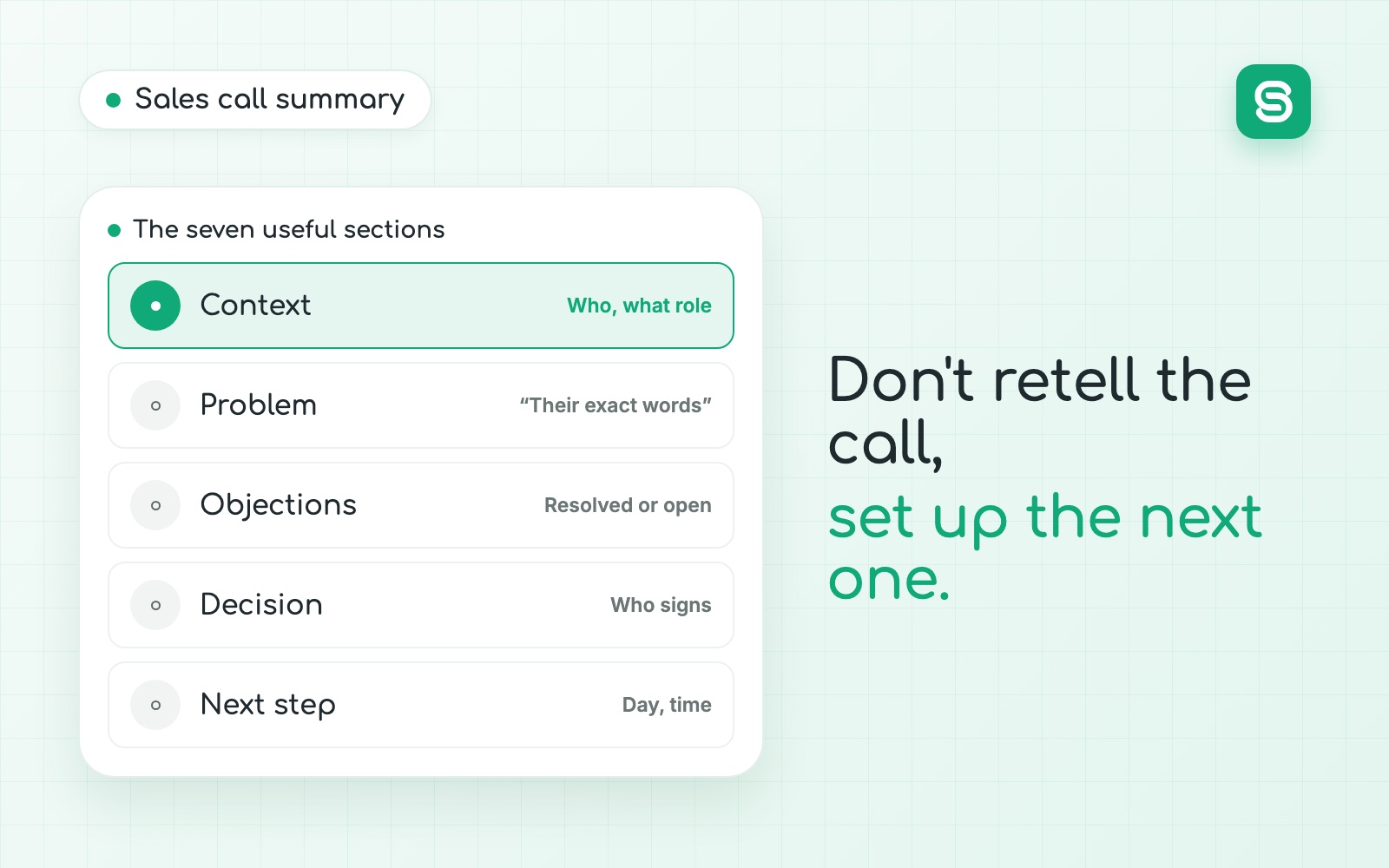
Three weeks after a call, the CRM usually holds one line: “Interested, call back.” Call back to say what, to whom, and why now? Nobody knows, including the rep who wrote it. A sales call summary exists to prevent that moment. It does not retell the call. It sets up the next one.
What is a sales call summary?
A sales call summary is the written record of a phone conversation with a prospect or customer, saved on their record. You will also hear call notes, call recap or call report. The names vary; the job does not: keep what you learned and what was promised.
It is easy to confuse with three other things.
The transcript and the outcome feed the summary. They do not replace it. The summary is the only one of the three that sorts: it says what mattered out of everything that was said. For the technical side of transcription (accuracy, languages, recording consent), see our article on AI call transcription and summaries.
Who reads a call summary?
A good call summary has four readers, and none of them was on the call when they read it. That is what makes it hard: it has to make sense without the context you had in your head when you hung up.
The second reader is the right yardstick. If a teammate who has never heard of the account can read your note in thirty seconds and dial with a relevant first sentence, the note works. If they have to ask you “what did they want, exactly?”, it does not, even if it runs a full page.
A call summary does not retell the call. It sets up the next one.
That test also explains why vague notes are expensive. A prospect asked to repeat what they already said hears one thing: nobody listened. The link between what you hear on the call and what you keep afterward is covered in our guide to active listening in sales.
The seven parts of a useful call summary
Here are the seven parts, in reading order. They apply to a full discovery call. For a forty-second cold call, three of them are enough: the short template is further down.
- 01
Context and contact.
Who you spoke with, their exact title, their role in a buying decision, and what they use today. “VP Sales, 14 reps, spreadsheets plus Pipedrive” beats “good contact.” - 02
Current situation.
How they do it today, in two or three lines. It is the baseline for everything that follows: without it, you cannot say what your product changes. - 03
Problem and stakes.
What they want to fix, in their own words and in quotes, and what the problem costs them by their own account: time, lost deals, risk. A problem with no cost and no deadline is a curiosity, not a project. - 04
Objections.
Each blocker, what you answered, and whether the answer landed. An objection marked “resolved” that comes back on the next call is information: it was not. - 05
Decision and commitment.
Who decides, who influences, who signs, on what timeline and budget if they came up. And what the prospect committed to do on their side: forward, check, discuss. - 06
Next step.
An action, an owner, a date and a time. “Call back” is not a next step. “Call Marissa Thursday the 21st at 9:30 a.m. to set the demo with the CFO” is. - 07
Detail to remember.
The thing that will be your first sentence next time: a trade show they will attend, a hire in progress, a number, a contract renewal date. It is the most often forgotten section and the one prospects notice most.
Why the prospect’s exact words
In sections 3 and 4, write what the prospect said, not what you took it to mean. “We lose quotes because we call people back too late” is a sentence you can play back to them, and a teammate understands it without interpretation. “Needs responsiveness” is your translation: it flattens the nuance and cannot be reused.
Their words pay off three times. On the callback, so you open with their framing instead of your pitch. In the proposal, where their problem written in their terms reads as obvious. And across the team, because the phrases that come back from dozens of prospects say more about what blocks your market than any survey.
What does not belong in a call summary
The sales call summary templates to copy
A single template for every call ends badly: on a thirty-second cold call, nobody fills in fifteen fields, so the note stays empty. The five templates below match the five most common situations in phone prospecting. Pick a tab, copy, paste into the note on the record.
Five sales call summary templates to copy
Pick the call type, copy, paste into the note on the record, replace what sits in brackets.
[Date] · [Call type] · [Duration] · [First Last, title, company]

CONTEXT
[Who this person is, their role in the decision, what they use today.]

SITUATION AND PROBLEM
[What they want to fix, in their words, in quotes. What it costs them: time, money, risk.]

OBJECTIONS
[What is in the way] → [what I answered] → [resolved / open]

DECISION AND COMMITMENT
[Who decides, who influences, who signs. What the prospect committed to do, and by when.]

NEXT STEP
[Action] · [owner] · [day, date, time]

DO NOT FORGET
[The detail that will open the next call: a number, a deadline, a name, a constraint.]
[Date] · Cold call · [Duration] · [First Last, title]

OUTCOME: [meeting booked / callback requested / wrong person / hard no]
THEIR WORDS: "[the exact sentence that explains the outcome]"
NEXT STEP: [action] · [date and time]
GOOD TO KNOW: [direct line, best time to reach, decision maker's name, tool in place]
[Date] · Discovery · [Duration] · [Attendees, with titles]

CONTEXT
[Team size, org, tools in place, what triggered the meeting.]

CURRENT SITUATION
[How they do it today, three lines at most.]

PROBLEM AND STAKES
"[Their wording of the problem]"
Impact: [the number or consequence they gave themselves]
If nothing changes: [what they said would happen]

DECISION CRITERIA
[What will count in the decision, in their order of importance.]

OBJECTIONS AND RISKS
[Blocker] → [answer] → [resolved / open]
Risk I see: [what could stall the deal]

BUYING SIGNALS
[What they said or did: a question about price, rollout or timing, a quote request, a new attendee they want to bring.]

DECISION
Decision maker: [name, title] · Signer: [name] · Other voices: [names]
Budget: [stated / not discussed] · Timeline: [date or event]
Competitors or incumbent: [names mentioned]

COMMITMENTS
Them: [what they do, by when]
Me: [what I send or prepare, by when]

NEXT STEP
[Action] · [owner] · [day, date, time] · [invite sent: yes / no]

DO NOT FORGET
[A useful personal or professional detail, factual, that they could read without discomfort.]
[Date] · Callback #[x] · [Duration] · [First Last]

REASON FOR THE CALLBACK: [what was agreed, and when]
WHAT CHANGED SINCE: [new fact, new person, new deadline, or "nothing"]
WHERE THEY STAND TODAY: "[their sentence]"
OBJECTION: [new / same as last call] → [answer] → [resolved / open]
NEXT STEP: [action] · [owner] · [date and time]
IF NO PROGRESS: [I try x more times / I stop and note why]
[Date, time] · Attempt #[x] · [no answer / voicemail / front desk]

VOICEMAIL LEFT: [yes / no] · [angle of the message in five words]
INFORMATION GATHERED: [time suggested by the front desk, direct line, out until ...]
NEXT ATTEMPT: [date and time, in a different time slot]
Templates written for this article. Free to use: adapt them to your vocabulary and your CRM fields.
A few usage rules that apply to all five.
The discovery template follows the usual qualification questions (problem, stakes, decision maker, timeline). If your team qualifies with a specific method, align the sections with its letters: our sales qualification scorecard lists the criteria, and our guides to the BANT framework and the MEDDIC framework explain what each covers. The questions that fill these sections during the call are in our list of cold call discovery questions.
Four call summary examples, before and after
The four examples below start from rushed notes like the ones in every CRM. For each, the useful version, section by section, and what it makes possible that the first one rules out. Companies, people and numbers are made up for this article.
Example 1: the cold call that books a meeting
A 3-minute 40-second cold call to a 60-employee trucking company. Contact: the operations manager.
Nice, interested. Mtg Tuesday.
What you cannot get from it
- Interested in what: we do not know which problem triggered the yes.
- Tuesday at what time, with whom, video or phone.
- Whether she decides alone or the owner needs to be there.
- Context
- Dana Brooks, operations manager, Lemoine Freight (60 employees). Customer callbacks happen from the three reps' personal cell phones.
- Problem
- "When a rep leaves, we lose every call history with them." It happened in September.
- Decision
- She builds the case, the owner (Mark Lemoine) signs. No budget mentioned.
- Next step
- Video demo Tuesday the 18th at 11 a.m. ET with Dana. Invite sent. Suggest she invites Mark.
- Do not forget
- The September departure: that is her angle, not price.
What it changes: Tuesday's meeting opens on the September departure instead of a generic overview, and the signer question gets asked before the demo, not after.
Example written for this article: company, people and numbers are fictional.
Example 2: the discovery call that opens a deal
A 32-minute scheduled call with a 40-person software company. Two attendees: the VP of Sales and a sales manager.
Great call. Real need, budget OK, decision Q1. Send proposal.
What you cannot get from it
- Which need, in what words: nothing to reuse in the proposal.
- "Budget OK" according to whom, for what amount or range.
- Objections: nothing on what could kill the deal.
- What the prospects promised to do on their side.
- Context
- Tom Mercer, VP Sales, and Ines Haddad, sales manager. 8 SDRs, calling from a dialer built into their email tool, HubSpot CRM.
- Situation
- About a hundred calls per SDR per day, dialed manually. Call notes typed by hand at the end of the day.
- Problem and stakes
- "We spend half the day dialing and listening to ringing." Annual meeting target raised 30% with no new hires.
- Objections
- Fear the team will reject one more tool → showed that notes sync to HubSpot automatically → half resolved, Ines wants a pilot.
- Decision
- Tom decides, the CFO approves above a threshold he did not specify. Decision targeted before the end of Q1.
- Commitments
- Ines picks two SDRs for a pilot. Me: proposal and pilot plan by Friday the 14th.
- Next step
- Pilot kickoff Monday the 17th at 10 a.m. with Ines and the two SDRs. Invite sent.
- Do not forget
- They dropped a tool last year because "nobody used it." Adoption is the real issue.
What it changes: The proposal quotes the ringing line and answers the adoption fear with a two-person pilot. The CFO threshold is the question to ask on Monday.
Example written for this article: company, people and numbers are fictional.
Example 3: the callback that is going nowhere
Third call in six weeks to the owner of a 12-person recruiting firm. Length: 2 minutes 10 seconds.
Still no time. Call back in a month.
What you cannot get from it
- "No time" for what: to talk, to switch tools, to think about it.
- What changed since the last call, or whether nothing did.
- How many more callbacks before stopping, and why.
- Reason for callback
- Agreed on October 2: he was going to compare with his current carrier's offer.
- What changed
- Nothing on the topic. Two searches in progress, he runs every interview himself until the end of November.
- Where he stands
- "I'm interested, but I'm not touching anything before January."
- Objection
- Same timing objection as October 2. No objection on substance.
- Next step
- Callback Tuesday, January 6 at 9 a.m. Task created.
- If no progress
- If January slips again, we stop and move him to nurture.
What it changes: The January call opens on his two searches, and the stop rule prevents a fifth pointless call. The note shows the difference between a real delay and a polite no.
Example written for this article: company, people and numbers are fictional.
Example 4: the no-answer that still pays off
Fourth attempt to reach the CFO of a distribution group. No answer on the direct line, then the front desk.
NA.
What you cannot get from it
- What time the attempts failed, so which slot to avoid.
- What the front desk said, which is the rarest information of all.
- Whether a voicemail was left, and with what angle.
- Attempt
- Thursday the 13th, 4:40 p.m., attempt #4. Direct line no answer, then front desk.
- Voicemail
- None left today; the second voicemail went out on the 6th.
- Information gathered
- Per reception, she is in month-end close until the 18th and "easier to reach before 9 a.m."
- Next attempt
- Tuesday the 18th, 8:40 a.m., direct line.
What it changes: Attempt five lands in the right slot instead of repeating the same time. A four-line note on a no-answer is often worth more than ten lines on a conversation.
Example written for this article: company, people and numbers are fictional.
The fourth example is the most neglected. No-answers are most of the attempts in phone prospecting, and each one can bring back something: a time slot, an absence, a name. What to get out of the front desk is covered in our gatekeeper script guide, and the angle of a voicemail in our B2B voicemail scripts.
How long should a call summary be?
The rule fits in one sentence: the length of a call summary follows what is left to do, not how long the call lasted. A twenty-minute call that ends in a firm no fits in three lines. A four-minute cold call that opens a project deserves twelve.
| Call type | Target length | Time to write | What must never be missing |
|---|---|---|---|
| No answer, front desk | 2 to 4 lines | 10 seconds | Time of the attempt and what the front desk said |
| Cold call, no next step | 2 to 3 lines | 20 seconds | The reason for the no, in the prospect's words |
| Cold call, meeting booked | 4 to 6 lines | 1 minute | The problem behind the yes, the date, the attendees |
| Callback or follow-up | 4 to 8 lines | 1 minute | What changed since the last call |
| Discovery | 15 to 25 lines | 3 to 5 minutes | Stakes, decision maker, both sides' commitments, next date |
Time to write matters as much as length. A note that takes ten minutes will not get written after the fortieth call of the day. The right call summary is the one that gets written every time, not the most complete one.
If your reps do not fill in their notes, discipline is rarely the issue. It is almost always a template too heavy for short calls. Our selling time calculator helps put a number on how much of the day admin work eats.
How to write a call summary in two minutes
Writing fast and well is a routine, not a talent. This is the one that holds up over a full day of calls.
During the call: three words per answer
Do not write sentences while the prospect talks. Jot three words per important answer, ideally theirs: “lost quotes,” “September,” “CFO.” Those are what you expand afterward.
As you hang up: the next step
Before anything else, the action, the owner and the date. Create the dated task in the CRM or the calling tool right then, not later.
The problem, in quotes
Write down the prospect’s sentence that sums up their problem, as they said it. If you cannot find one, the call surfaced no problem: write that down too.
The template sections
Context, objections, decision, detail to remember. One line per section for a short call. Delete the ones that do not apply.
The teammate read
Reread as if you were taking over the account knowing nothing. If a sentence invites “meaning what?”, rewrite it.
If your calling tool produces an automatic summary, steps 3 and 4 become a review. Step 2 stays with you: a summary describes what was said; it does not always create the task that gets you to call back at the right moment. Handling those dated callbacks is the subject of our guide on how to call a prospect back with the right context.
Which piece goes in which CRM field
A call summary is not one block of text. It splits into three kinds of information, and each has its place in the CRM. The rule: what you filter on goes in a field, what you need to understand goes in the note, what has to happen goes in a task.
| Element | Where it goes | Why |
|---|---|---|
| Call outcome | Structured field on the call or activity | To count conversations, filter callback requests and measure contact rate |
| Status, stage, loss reason | Fields on the contact or deal | For views, forecasts and sequences: a picklist, not free text |
| Context, problem, objections, decision | Note on the logged call, linked to contact and deal | To understand: it is what a teammate reads before dialing |
| Next step | Dated task or activity, assigned to someone | A date written inside a note never triggers a reminder |
| Recording and transcript | Link or attachment on the call | To check an exact sentence, not to be reread in full |
What this looks like in the four CRMs most used for outbound
Names change from one CRM to the next; the logic does not. We checked the objects below against each vendor’s official documentation on November 12, 2026.
What the four share: the next step must be a dated task or activity, not a sentence. It is the most common filing mistake and the most expensive one, because you only notice it once the prospect has signed elsewhere. Connecting your calling tool to your CRM, with its options and traps, is covered in our guide to phone system and CRM integration. If you are still choosing a CRM, our ranking of the best CRMs for SDR teams looks at exactly how each one handles calls.
Manual call notes or AI call summary
Most calling tools now generate an automatic summary from the transcript. The question is no longer whether to use one, but what it is for and what to check. Our comparison of call transcription software reviews the tools; this section is about what the summary says.
The practical consequence is simple: an AI call summary removes the writing, not the review. The rep no longer writes the summary; they approve it and add what only they picked up. The accuracy limits of the transcript itself, and what they mean for the summary, are covered in our article on AI call transcription and summaries.
An AI call summary removes the writing, not the review.
Review an AI summary in twenty seconds
No need to reread everything. Five checks are enough, in this order, because they are where an error costs the most.
- 01
The next step and its date.
Is it there, is it right, and did it become a task? A misheard date sends the callback a week late. - 02
Proper names.
People, companies, competitors. Automatic transcription gets these wrong more often than everyday words. - 03
Numbers.
Headcount, volumes, dollar amounts, deadlines. A “fifteen” heard as “fifty” changes the size of the deal. - 04
What is missing.
The summary says what was said. Add a line on what was not: “budget never came up,” “dodged the decision maker question.” - 05
Your read.
One sentence on what you heard in their voice that the text does not carry: hesitation, irritation, real or polite enthusiasm.
The prompt that turns a transcript into a call summary
If your tool does not produce a summary, or its summary does not follow your template, you can give the transcript to a general-purpose AI assistant with the instructions below. They follow the seven sections, forbid making things up and ask the model to flag what is missing. Check first that your internal policy allows sending call transcripts to that assistant: they contain personal data.
Prompt: from call transcript to call summary
Paste into your AI assistant, followed by the call transcript.
You are a sales assistant. From the call transcript below, write a call summary to save in a CRM.

Rules:
- Do not invent anything. If information does not appear in the transcript, write "not discussed."
- Quote the prospect's exact words for the problem and the objections.
- No judgments about the person, no sensitive personal details (health, family, beliefs).
- Short sentences. 25 lines maximum.

Structure, with these headings in capitals:
CONTEXT: contact, title, company, current tools.
SITUATION: how they do it today.
PROBLEM AND STAKES: the problem in their words, what it costs them according to them.
OBJECTIONS: each blocker → the answer given → resolved or not.
DECISION: who decides, who signs, timeline, budget if mentioned.
COMMITMENTS: what the prospect promised and what the rep promised, with dates.
NEXT STEP: action, owner, date and time.
DO NOT FORGET: one useful detail to open the next call.
TO VERIFY: proper names, numbers and dates the transcript seems unsure about.

Transcript:
[paste here]
The last section, “To verify,” saves the most time: it points the rep to the twenty seconds of review that matter. For more prompts like this one (call prep, follow-up, account recap), our AI sales prompt generator builds them from your context.
AI assistants will also be able to pull calls and transcripts from your tools themselves, rather than waiting for a copy and paste. That is what the MCP protocol is for, as we explain in our article on MCP for cold calling.
What never belongs in call notes
A CRM note is not a private notebook. It is personal information about the person you called, kept by your company, and depending on where they live they may be able to ask to see it. In California, the CCPA gives consumers a right to know the “categories and/or specific pieces of personal information” a business holds about them, and the exemption for business-to-business contact data expired on December 31, 2022, according to the California Attorney General’s CCPA page (updated August 28, 2026, checked November 12, 2026). If you call into Europe, the GDPR gives the same kind of access right.
In B2B prospecting, the temptation is less sensitive data than judgment: “aggressive,” “liar,” “only cares about price.” Replace the judgment with the fact behind it: “hung up after the second question,” “asked for pricing three times before discussing the need.” The fact helps the next call; the judgment only creates exposure.
Recording the call itself follows other rules (one-party or all-party consent depending on the state), covered in our guide to call recording laws for businesses. To write the disclosure you read at the start of a call, our free call recording notice generator drafts one for you.
The mistakes that make call notes useless
These mistakes show up fast across a team. A manager who reads ten random notes a week knows within a month which ones keep coming back. Our sales call scorecard helps grade the conversation itself; the note gets graded with one question: could a teammate call tomorrow without asking anything twice?
What recap email should you send after a sales call?
Your CRM note stays internal. What you send the prospect, the same day, is a short recap drawn from that note: their problem in their words, what was agreed, the next date. It does two jobs. It checks that you understood: if you got something wrong, the prospect corrects it in writing before the demo, not during it. And it locks in commitments on both sides, which a “let’s talk soon” on the phone never does.
It takes a minute to write from your summary, as long as you leave out your internal read: risks, opinions about people, guesses about budget.
Recap email after a discovery call
Template written for this article. Adapt it, then send it the same day.
Subject: Recap of our call on [day] and next step

Hi [First name],

Thanks for your time [today / this morning]. Here is what I took away, to make sure I got it right.

What you want to fix: "[their sentence, word for word]"
Where things stand today: [current situation in one line]
What will matter in your decision: [two or three criteria they named]

What we agreed:
- On your side: [prospect's commitment] by [date]
- On my side: [what I send or prepare] by [date]

Next step: [action] on [day, date] at [time] with [attendees]. [The invite is in your inbox / I'll send the invite today.]

If I misread anything, just tell me. I'd rather fix it before we talk again.

Best,
[Signature]
Three rules. Ten lines of body at most: past that, the recap does not get read. One ask only: confirmation. And nothing you could not show their boss. After a cold call that booked a meeting, a two-line text is enough, as long as you have consent to text them: our text message templates after a sales call give several versions.
From call summary to callback and review
The call summary is the middle link in a short chain. It is fed by what you heard on the call, and it feeds two moments that come after.
The callback
Before dialing, thirty seconds of reading should tell you why you are calling and how to open. Our guide on how to call a prospect back covers that prep, and our article on the call me back later objection explains what to write down when a prospect pushes you off.
The written recap
After a discovery call, a short recap to the prospect, drawn from your summary: their problem in their words, what was agreed, the next date. The recap email template is right above.
The session review
The notes from a calling block let you spot recurring objections and the calls worth replaying in a few minutes. The method is in our cold call review guide.
Over time, a team’s call summaries become a unique source of market intelligence: the problems people name, the competitors they mention, the objections on the rise. They are also the raw material for long-cycle follow-up, covered in our guide on how to follow up on a cold call and, for contact rhythm, in our article on B2B sales cadence.
What Skipcall does, and what stays with you

Skipcall is an outbound calling tool. In Skipcall, calls are recorded and transcribed, and an AI summary is generated after each one: what was asked, what was promised, what is left to do. Date, duration, recording, transcript and summary attach to the contact record, and transcripts are searchable. These features are included from the Business VoIP plan, from $25 per seat per month. Details are on the call recording and transcription page.
With the native HubSpot, Pipedrive, Salesforce and Attio integrations, the summary is added as a note on the contact record in your CRM, the recording as a link or a file depending on what the CRM accepts, and the call outcome updates the record. You choose which fields sync in the integration’s field mapping (CRM integration). Without a CRM, the Skipcall contact record keeps the same history (pre-CRM).
The next step becomes a dated task linked to the contact, which comes back on the planned day in the “Today” tab with the context of the last conversation (tasks). Tasks come with the prospecting plans, starting with Starter (from $70 per seat per month); on the Business VoIP plan, you set the next step in your CRM.
What stays with you: the twenty-second review, the line on what was not said, and the decision about what to do next. No tool knows that a “why not” sounded like a no.
Key takeaways
- A call summary prepares the next call. The test: could a teammate call tomorrow without asking the prospect anything twice?
- Seven parts: context, situation, problem and stakes, objections, decision, dated next step, detail to remember.
- The prospect’s exact words, in quotes, for the problem and the objections.
- One template per call type. A short cold call fits in four lines, discovery in twenty. A single heavy template ends up empty.
- Length follows what is left to do, not the length of the call.
- Three places in the CRM: fields to filter, the note to understand, a dated task to act.
- An AI summary takes twenty seconds to review: date, names, numbers, what is missing, your read.
- Only write what the prospect could read. Facts, no judgments, no sensitive details.