A prospect swears nobody mentioned the annual commitment. Your new SDR keeps losing calls at the same objection and can’t say why. A rep quits, and with them goes everything they heard on 400 calls. Call recording software solves all three problems, and in 2026 almost every business phone system includes it. That’s exactly why picking one is harder than it looks: the feature is everywhere, but what you can actually do with the recordings varies a lot.
What is call recording software?
Call recording software captures both sides of a phone or video conversation, saves the audio file and lets authorized people play it back, search it and share it. In a sales team, it has three jobs. It’s a coaching tool: managers listen to real calls instead of relying on what reps remember. It’s a memory: what the prospect said about budget, timing or a competitor stays attached to the account. And it’s evidence: when a customer disputes what was agreed, the recording settles it.
Ten years ago, recording meant a separate box on the phone system or a compliance product for call centers. Today it’s a checkbox in nearly every cloud phone system, and AI has added two layers on top: the transcript, which turns audio into searchable text, and the summary, which condenses a 20-minute call into a few lines. Our guide to AI call transcription and summaries covers what those layers get right and wrong.
Call recording vs. transcription vs. conversation intelligence
These three terms get mixed up in vendor marketing. They’re stacked layers, and each depends on the one below.
| Layer | What it gives you | Who needs it |
|---|---|---|
| Call recording | The audio file of the call, stored and playable | Every team that coaches, resolves disputes or hands over accounts |
| Transcription and summary | Searchable text and a short written recap of each call | Teams with more calls than anyone can listen to |
| Conversation intelligence | Trends across calls: talk ratio, topics, deal risk, scorecards | Larger teams with a dedicated enablement function |
This guide is about the first layer, and the choices that make it useful. If transcription is your main question, our comparison of the best call transcription software tests 13 tools on that layer. If you’re after analytics across hundreds of calls, see conversation intelligence for sales.
Where does the recording actually happen?
Before comparing brands, settle one question: where do your sales conversations take place? A recording tool can only capture the calls that flow through it. That sounds obvious, yet it’s the most common buying mistake: a team buys a meeting recorder, then realizes its SDRs place 80% of their calls from a dialer the bot never sees.
Inside the phone system or dialer
The phone system records every call that goes through it, inbound and outbound, without anyone pressing a button if automatic recording is on. The file is stored with the call log, so it inherits the caller, the contact, the duration and the outcome. This is the default for any team that prospects by phone. Our guide to connecting your phone system to your CRM explains what that sync should carry.
A bot that joins video meetings
Meeting recorders join Zoom, Google Meet or Teams calls from the calendar invite. They’re excellent for discovery calls and demos booked on video, and useless for cold calls placed on a phone line. Many teams run one of these alongside a recording phone system.
An analysis layer fed by other tools
Conversation intelligence platforms ingest recordings from your dialer and your meeting tool, then analyze them. They don’t replace the capture layer: if your dialer doesn’t record a call, there’s nothing to import.
An app on the rep’s own mobile
Recorder apps and carrier add-ons capture calls made from a personal number. They work for a solo founder, but for a team they scatter recordings across devices, outside admin control and outside the CRM. If reps call from their cell phones, the cleaner fix is a business calling app on the same phone; our guide to running a business number on a personal phone compares the options.
How to choose call recording software: 6 criteria that matter
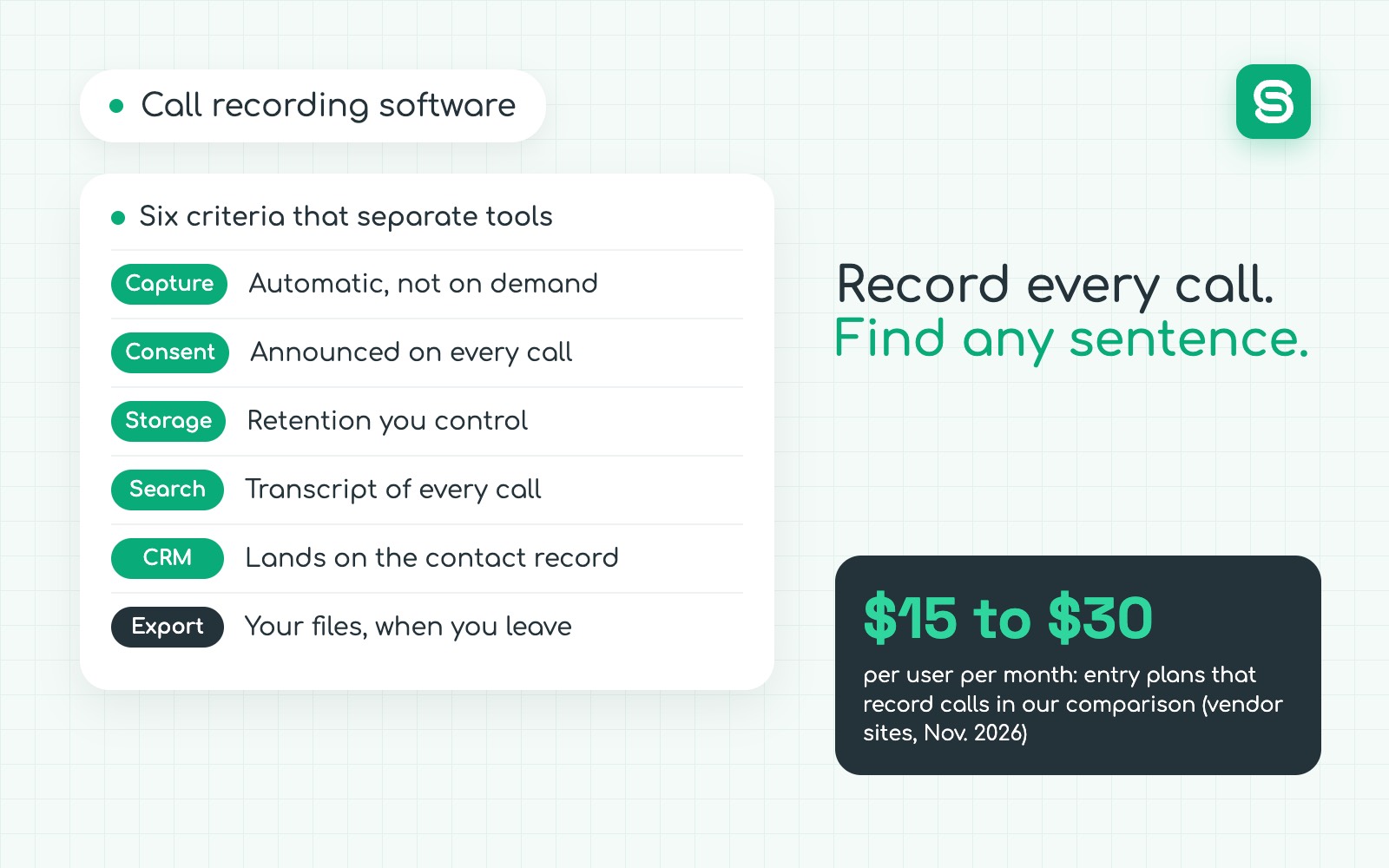
Every vendor will tell you it records calls. These six questions separate the tools that give you a usable library from those that give you a pile of audio files.
1. Automatic or on-demand capture
On-demand recording means the rep clicks a button. In practice, reps forget, or they record the calls that went well. For coaching you want the calls that went badly, so automatic recording is the setting that matters. Check the tier: Dialpad’s help center says automatic recording isn’t available on its Standard plan, RingCentral reserves it for its Advanced and Ultra plans, and Quo offers on-demand recording on Starter and automatic recording from Business. The cheapest plan is often not the plan you’ll end up on.
2. Consent handling across states
Under the federal Wiretap Act, a call can be recorded when one party consents, and your rep is that party. Several states require every party’s consent, California being the one that generates the most lawsuits: its privacy law allows a private suit for $5,000 per violation or three times actual damages. When the rep is in Texas and the prospect in California, assume the stricter rule applies.
What software can do here is limited, and honest vendors say so. A tool can play an announcement at the start of calls, let an admin turn recording on or off by team or number, and let a rep stop recording mid-call. It can’t know where the person on the other end is physically sitting. The practical rule is simple: announce on every call. Our call recording laws by state tool shows the rule for each state, the call recording notice generator writes the disclosure line for you, and our guide to call recording laws for business covers retention, employees and payment card data.
3. Storage, retention and access
Ask three questions. Where is the audio stored (which cloud, which region)? How long is it kept by default, and can an admin set a retention period that deletes automatically? Who can open it: every rep, or only managers and the rep who made the call? A recording library is sensitive data. It contains names, prices, sometimes health or financial details shared by the prospect. Retention you can’t control is a liability, not a feature.
4. Search
A team of six reps produces well over a hundred hours of audio a month (run your own numbers in the calculator below). Nobody will listen to that. What makes a library useful is search: typing a competitor’s name or “contract” and landing on the exact minute. That requires a transcript. If transcription is a paid add-on, count it in the price.
5. CRM sync
The recording should land on the contact or deal record in your CRM, attached to the call activity. Ask what exactly is pushed: a link, the file itself, the transcript, a summary? A link that expires when you cancel the phone system leaves your CRM full of dead links. Our review of the best HubSpot dialers checks what each integration really syncs.
6. Export and ownership
This is the question nobody asks until the day they switch vendors. Can you bulk-export recordings with their metadata (date, rep, contact, duration)? Is there an API? What happens to the files 30 days after you cancel? If the answer is “they’re deleted,” your coaching library and your evidence disappear with the contract.
The cheapest plan that records is rarely the plan you’ll end up on. Check where automatic recording starts.
Call recording software: the 10 tools at a glance
Prices below are the entry price of the cheapest plan that records calls, per user per month, billed annually unless stated, as published on each vendor’s site when we checked in November 2026. Amounts published in euros are shown in euros. Vendors change pricing often, so confirm before you sign.
 Skipcall
- Type
- Outbound phone system and dialer
- Recording
- Automatic, with transcript and AI summary
- Starting price
- From $25/license/month
- Best for
- B2B teams that prospect by phone
 Dialpad
- Type
- AI business phone system
- Recording
- On demand on Standard; automatic from Pro
- Starting price
- $15/user/month; Pro $25
- Best for
- Budget teams that want AI transcripts
 Aircall
- Type
- Cloud phone system
- Recording
- Included from Essentials
- Starting price
- $30/license/month, 3 licenses minimum
- Best for
- Teams that live in a CRM
 RingCentral
- Type
- Unified communications (RingEX)
- Recording
- On demand on Core; automatic from Advanced
- Starting price
- $20/user/month; Advanced $25
- Best for
- Multi-site companies
 JustCall
- Type
- Cloud phone system for SMBs
- Recording
- Included from Team
- Starting price
- Check the pricing page
- Best for
- SMB sales teams
 CloudTalk
- Type
- Cloud phone system
- Recording
- Included on every plan
- Starting price
- €25/user/month; AI add-on extra
- Best for
- Sales and support on one system
 Quo
- Type
- Business phone (formerly OpenPhone)
- Recording
- On demand on Starter; automatic from Business
- Starting price
- $15/user/month; Business $23
- Best for
- Founders and very small teams
 Zoom Phone
- Type
- Cloud phone in the Zoom suite
- Recording
- Listed in the phone features
- Starting price
- $16/user/month, US and Canada unlimited
- Best for
- Companies already on Zoom
 Gong
- Type
- Conversation intelligence
- Recording
- Captures meetings, imports dialer calls
- Starting price
- Quote only, plus a platform fee
- Best for
- Large teams with enablement staff
Fathom
- Type
- Video meeting recorder
- Recording
- Zoom, Meet and Teams meetings
- Starting price
- Free plan; Team $15/user/month
- Best for
- Reps who sell on video
The 10 best call recording tools for sales teams
Skipcall: best for B2B teams that prospect by phone

Skipcall is a phone system built for outbound prospecting: power dialer, parallel dialer on four lines, voicemail detection and SMS. Recording is automatic and starts with the call. When the call ends, AI produces a transcript you can search and a summary of what was asked, promised and left open, all attached to the contact record and pushed as a note to HubSpot, Pipedrive, Salesforce or Attio, with the recording as a link or a file depending on what the CRM accepts. Recording, transcription and summaries are included from the Business VoIP plan, starting at $25 per license per month billed annually, from a single license. The recording and transcription feature page shows what each recorded call contains.
- Recording, transcript and AI summary included, no add-on.
- Everything lands on the contact record and in the CRM.
- Retention and deletion settings configurable to your policy; a DPA is available.
- Built for outbound calls: no inbound call queues or IVR.
- Transcription and summaries, not Gong-style analytics across calls.
- Data is hosted in the EU (Paris), which some US buyers will want to know.
Dialpad: best for budget teams that want AI transcripts
Dialpad’s pricing starts at $15 per user per month on annual billing ($27 monthly) for Standard, which includes AI transcription and post-call summaries. The catch for recording: Dialpad’s help center says automatic call recording isn’t available on Connect Standard, only on Pro ($25 annually, $35 monthly) and Enterprise. If you want every call captured without relying on reps, budget for Pro.
Pick it if: you want AI transcripts on a tight budget and can live with on-demand recording, or can pay for Pro.
Aircall: best for teams that live in a CRM
Aircall lists Essentials at $30 per license per month billed annually, with a three-license minimum, and call recording is included on both Essentials and Professional ($50). Recordings and AI transcripts are included on Essentials; AI call summaries come through the AI Assist Pro add-on at $49 per seat, according to Aircall’s pricing page. HubSpot is integrated on Essentials, Salesforce from Professional. Aircall keeps recordings up to one year (six months in the dashboard). Aircall’s strength is its integration catalog, which matters when recordings must land in a CRM other than the big four.
Pick it if: your team has three or more seats and your CRM or helpdesk is outside the usual suspects.
RingCentral: best for multi-site companies
RingCentral’s RingEX plans run from Core at $20 per user per month billed annually ($30 monthly) to Advanced at $25 and Ultra at $35. On-demand recording is on every plan; automatic recording and CRM integrations start at Advanced. Transcription goes through a Conversational Intelligence add-on, listed from $60. It’s a full unified communications suite (phone, video, messaging), which makes sense company-wide and is more than a five-person SDR team needs.
Pick it if: you’re buying one phone system for the whole company, across several offices.
JustCall: best for SMB sales teams
JustCall sells per-user plans with a two-user minimum, and its own pages place call recording on its Team plan, with more AI and compliance features on Pro. We couldn’t confirm current prices on its pricing page when we checked, and JustCall’s blog and help center don’t describe the tiers identically, so ask for a quote and confirm on the pricing page which plan carries the transcription you need.
Pick it if: you’re a small sales team that wants calling, SMS and recording in one SMB-friendly tool.
CloudTalk: best for sales and support on one system
CloudTalk includes call recording on every plan. Its pricing is published in euros: Starter is €25 per user per month billed annually (€34 monthly), and CRM integrations start on the next plan, Essential. Transcripts and summaries require its AI Conversation Intelligence add-on, which CloudTalk’s own pages put at €9 per user per month. On the entry plan, CloudTalk keeps recordings for one month. Count the add-on if search matters to you.
Pick it if: sales and customer support share one phone system and you want recording everywhere.
Quo (formerly OpenPhone): best for founders and very small teams
Quo lists Starter at $15 per user per month billed annually ($19 monthly) with on-demand recording, and Business at $23 annually ($33 monthly), which adds automatic recording and AI transcripts and summaries on all calls. It’s simple and pleasant to use, built for small businesses more than for outbound teams that dial hundreds of numbers a day.
Pick it if: you’re a founder or a two-person team that needs a business number with recording, not a dialer.
Zoom Phone: best for companies already on Zoom
Zoom’s phone pricing lists the US and Canada unlimited plan at $16 per user per month billed annually ($18 monthly), with call recording among the listed features; metered plans start lower. If your company already runs on Zoom Meetings, the main advantage is one vendor, one admin console and one place for phone and video recordings.
Pick it if: Zoom is already your meeting platform and you want phone recordings in the same suite.
Gong: best for large teams with enablement staff
Gong doesn’t publish prices. Its pricing page says licenses are priced per user, with a separate platform fee that depends on the number of users. Gong records video meetings and imports calls from your dialer, then analyzes them across the whole team. It’s an analysis layer, not a phone system: you still need a dialer that records. Our guide to Gong alternatives covers lighter options.
Pick it if: you have dozens of reps, an enablement team to act on the insights, and the budget for a platform fee.
Fathom: best for reps who sell on video
Fathom records, transcribes and summarizes Zoom, Google Meet and Teams meetings. Its pricing page lists a free plan with unlimited recordings, transcripts and AI summaries, Team at $15 per user per month billed annually ($19 monthly, two users minimum) and Business at $25, which adds CRM sync. It doesn’t record phone calls placed from a dialer, so pair it with a recording phone system if your reps also cold call.
Pick it if: your discovery calls and demos happen on video and you want notes without typing.
What does call recording software cost?
On a business phone system, recording is rarely billed separately. The real cost comes from three places: the tier you need for automatic recording, the add-on you need for transcripts, and seat minimums.
For a full view of what a sales phone setup costs per rep, our guide to the best VoIP for sales teams breaks it down, and our pricing page lists Skipcall’s plans.
How much will your team record?
Storage and listening time are the two numbers buyers underestimate. Plug in your team below. The default values describe a six-rep outbound team.
How much will your team record each month?
Hours of audio per month151 hours
Storage at 64 kbps mono4.4 GB
Manager listening time per month7.6 hours
21 working days a month. Worked example; replace the values with your own. Storage varies with codec and stereo recording.
Two lessons from the default example. First, 151 hours of audio a month is far more than any manager can hear: even a 5% review sample takes almost eight hours. That’s why search and summaries matter more than the recording itself once the team passes three or four reps. Second, storage is small in absolute terms (a few gigabytes), so a vendor that limits retention is making a policy choice, not a technical one. Ask why.
How to roll out sales call recording in five steps
Turning on automatic recording is a five-minute setting. Making it useful, and lawful, takes a little more.
Write the recording policy
Purpose (coaching, quality, evidence), who can listen, retention period, how card data is handled, what reps say at the start of calls. One page is enough.
Tell the team, in writing
Explain what is recorded, why, and who listens. Get acknowledgment; several states require notice to employees who are monitored.
Add the disclosure line to every script
One sentence at the start of the call, the same for everyone. Put it in the cold call script, the callback script and the voicemail follow-up.
Turn on automatic recording and CRM sync
Check that a test call lands on the right CRM record with the recording and the transcript, and that the retention setting matches your policy.
Build the review habit
Two calls per rep per week, reviewed with a scorecard. Without this step, recording is just storage.
Templates to copy
Recording disclosure lines and a one-page policy
Templates written for this article. General information, not legal advice; have counsel review before use.
DISCLOSURE LINES (pick one, use it on every call)
- "Hi [Name], it's [Rep] from [Company]. Quick heads-up, this call is recorded for quality and training. Is that OK?"
- "Before we start, I record my calls so I don't miss anything you tell me. Fine with you?"
- If the person objects: "No problem, I've turned the recording off." (Then stop it.)

CALL RECORDING POLICY (one page)
1. Purpose: coaching, quality review, and a record of what was agreed with customers.
2. Scope: all outbound and inbound sales calls placed from [phone system].
3. Disclosure: every call opens with the approved disclosure line. If the other party objects, recording stops.
4. Card data: recording is paused while payment card details are given. Card details are never read back on a recorded line.
5. Access: the rep who made the call, their manager and [enablement / RevOps]. No sharing outside the company without [approval].
6. Retention: [6 / 12] months for coaching recordings, then automatic deletion. Recordings tied to a dispute are kept until it is resolved.
7. Employees: every rep receives this policy in writing and acknowledges it before their first recorded call.
8. Owner: [name], reviewed every [12] months.
What to do with recordings once you have them
A library nobody opens is a cost. Four uses justify recording on their own.
- 01
Coach on real calls.
Managers review two calls per rep per week with a written scorecard. Our sales call scorecard gives you one ready to fill in, and the sales coaching program lays out the weekly rhythm. - 02
Let reps review themselves.
A rep who listens to their own call for 15 minutes learns more than in an hour of training. Our cold call review routine shows how to do it after every session. - 03
Write better call notes.
The transcript and the summary replace notes typed from memory. The sales call summary template gives you the structure to keep in the CRM. - 04
Settle disputes fast.
When a customer contests a price or a term, the recording on the account answers in two minutes instead of a week of emails.
Recordings are for after the call. To help a rep while the call is still going, you need listen, whisper and barge features; our guide to live call coaching covers how to use them without derailing the conversation.
The most common mistakes
Keep your call data clean on the logging side too: our call log template shows what to record about each call besides the audio. And before scaling any outbound program, check the broader rules in is cold calling legal?.
Key takeaways
Sources
- 18 U.S.C. 2511, Interception and disclosure of wire, oral, or electronic communications (Cornell LII)
- California Penal Code 637.2 (Justia)
- Dialpad: plans and pricing
- Aircall: pricing
- RingCentral: RingEX plans and pricing
- JustCall: pricing
- Quo: pricing
- Zoom Phone: pricing
- Gong: pricing
- Fathom: pricing