A waterfall enrichment tool can search dozens of data providers and still leave your SDRs with missing phone numbers, outdated contacts, or wasted credits.
You’re probably here because…
With that in mind, we’ve compared seven waterfall enrichment tools based on data coverage, verification, pricing, integrations, and their fit for different B2B sales workflows.
How We Evaluated These Tools
We compared each tool on five criteria: verified email and mobile coverage, verification method, cost per usable contact, integrations (CRM, dialer, API), and fit for international prospecting. Pricing and features come from each vendor’s public pricing page. Coverage figures come from published benchmarks, linked where we cite them. Results on your own lead list will differ, so test 100–200 contacts before committing.
What Is Waterfall Enrichment?
Waterfall enrichment is a method of finding missing contact information by searching multiple data providers in a predefined order.
For example, suppose an SDR has a prospect’s name, company, and LinkedIn profile but cannot find their direct phone number. A traditional enrichment tool might check its database and return no result.
A waterfall enrichment tool goes further. If the first provider cannot find a usable number, it checks a second provider, then a third, and continues until it finds a suitable match or exhausts the available sources.
The process generally follows four steps:
- 01
Import your prospects:
Upload a CSV, connect your CRM, or supply contact details through an API.
- 02
Search multiple providers:
The platform checks different data sources using sequential or other configured lookup logic.
- 03
Verify the results:
Email verification and phone validation help filter out unusable contact information.
- 04
Export enriched records:
Found contact details can be downloaded or sent to connected sales tools.
This approach is particularly valuable for B2B sales teams targeting different industries, company sizes, and geographical markets. A provider with strong coverage of US technology companies may have weaker coverage of European SMEs, for example.
Waterfall enrichment helps address those gaps by bringing several data sources into one workflow.
7 Best Waterfall Enrichment Tools in 2026: At a Glance
 Pipecorn
- Best for
- Prospecting, enrichment, and buying signals in one platform
- Data providers
- 100+
- Starting price
- Free; paid from $41/mo
- ≈ Cost per email / mobile
- $0.049 / $0.49
- Standout feature
- Data validated by a 10,000-member sales community and self-corrected by dialer call outcomes
 FullEnrich
- Best for
- Dedicated contact enrichment for existing lead lists
- Data providers
- 25+
- Starting price
- $55/mo
- ≈ Cost per email / mobile
- $0.055 / $0.55
- Standout feature
- Pay only for verified results
 Clay
Clay
- Best for
- Custom enrichment and GTM workflows
- Data providers
- Multiple, configurable
- Starting price
- Free; paid from $185/mo
- ≈ Cost per email / mobile
- Varies by provider
- Standout feature
- Custom waterfalls and AI-powered workflow automation
 BetterContact
- Best for
- Budget-friendly contact enrichment
- Data providers
- 20+
- Starting price
- From $15/mo
- ≈ Cost per email / mobile
- $0.049 / $0.49
- Standout feature
- Verification-based credit billing
 Surfe
Surfe
- Best for
- LinkedIn prospecting and CRM enrichment
- Data providers
- 15+
- Starting price
- Free; paid from $49/user/mo
- ≈ Cost per email / mobile
- Bundled per seat
- Standout feature
- One-click CRM syncing from LinkedIn
 Cleanlist
- Best for
- Bulk lead cleaning and contact enrichment
- Data providers
- 25+
- Starting price
- Free; paid from $49/user/mo
- ≈ Cost per email / mobile
- $0.065 / $0.65
- Standout feature
- Pooled credits and automated data cleaning
 Apollo.io
- Best for
- Prospecting, enrichment, and outbound outreach
- Data providers
- Multiple, configurable
- Starting price
- Free; paid from $49/user/mo, billed annually
- ≈ Cost per email / mobile
- Varies by provider
- Standout feature
- Built-in prospect database and sales sequences
Cost per lookup is based on the entry paid plan’s credit rate (Pipecorn: Build plan; BetterContact and FullEnrich: Pro; Cleanlist: Starter) and assumes a verified result.
1. Pipecorn - Best for Prospecting and Waterfall Enrichment in One Platform
Best for: B2B sales teams and SDR agencies that want to source prospects, find verified contacts, and identify buying signals in one platform.

Finding the right decision-makers is only half the work. SDRs still need accurate contact details, a reason to reach out, and a way to move prospects into their calling workflow.
Pipecorn brings these steps together through B2B prospecting, waterfall enrichment, and sales intelligence.
Its waterfall engine searches 100+ data providers across 50+ countries. It routes each lookup to the providers with the strongest coverage for the prospect’s country and stops at the first verified match. In a Fullenrich benchmark of 290 prospects run by Hyperline, it reached 83% phone coverage, compared with 75% for FullEnrich. Results will vary by market.
Pipecorn’s main difference is what happens after a contact is found. Most waterfall tools verify a result once, when the lookup runs. Pipecorn keeps validating its data after that, from two sources:
For SDRs, that means fewer dials wasted on numbers that were verified months ago but no longer connect.
Beyond enrichment, teams can search 700M+ professional profiles, identify accounts through hiring and technology signals, and track job changes.
- Waterfall enrichment: 100+ providers for verified work emails and mobile numbers, routed by country.
- Community validation: 10,000+ sales professionals continuously confirming and correcting contact data.
- B2B prospecting: 700M+ professional profiles and 37M+ companies.
- Buying signals: Hiring activity, technology usage, engagement, and job changes.
- AI lead cleaning: Clean imported lists before enrichment.
- Integrations: CRM connections, Chrome extension, API, MCP, and power dialers.
- Data quality improves continuously through community validation and real call outcomes, not just one-time verification.
- Combines prospecting, enrichment, and buying signals.
- Country-based routing supports international prospecting.
- Charges only for successful lookups, with credit rollover.
- Unlimited workspace seats on paid plans.
- Advanced features and higher volumes require paid plans.
- May be more than necessary for occasional email lookups.
- Free plan: 150 monthly credits and 500 lead exports.
- Paid plans: Start at $41/month.
- Credit usage: 3 credits per verified email and 30 per mobile number.
- Build plan rates: Approximately $0.049 per email and $0.49 per mobile number.
- Billing: Unsuccessful lookups are free, and unused credits roll over while the subscription remains active.
2. FullEnrich - Best for Verified Email and Mobile Number Enrichment
Best for: SDR teams and RevOps professionals looking to enrich existing prospect lists with verified emails and mobile numbers.
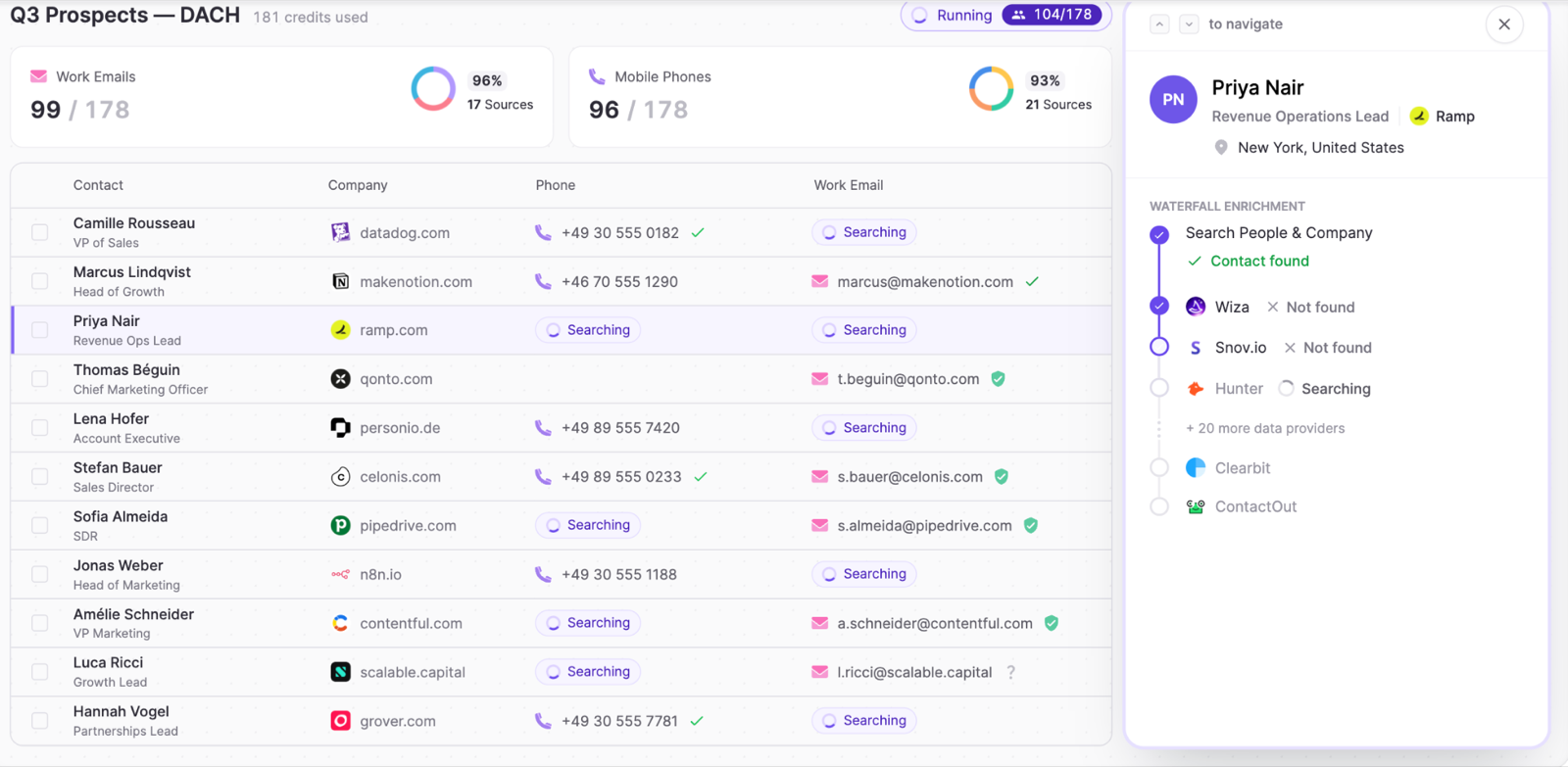
FullEnrich is a B2B contact enrichment platform that searches 25+ data sources for work emails, personal emails, and mobile numbers. Its sequential waterfall moves to the next provider when the previous one cannot find a usable match.
What sets FullEnrich apart is its focus on data verification. Emails undergo syntax, domain, and SMTP checks, including catch-all verification. Phone numbers are screened for inactive lines and landlines, with owner-name verification available in the US and Canada. FullEnrich claims these checks filter out roughly 30% of raw contact data.
Its HubSpot CRM enrichment also lets teams enrich up to 5,000 contacts per run and fill missing emails or phone numbers directly in the CRM. Field-mapping rules protect existing values, though scheduled enrichment is not yet supported.
- Waterfall enrichment: 25+ sources for work emails, personal emails, and mobile numbers.
- Contact verification: SMTP checks, catch-all verification, and mobile line validation.
- Reverse email lookup: Find person and company details from an existing email address.
- CRM enrichment: Fill missing contact fields in HubSpot without CSV re-imports.
- Integrations: REST API, MCP server, HubSpot, and no-code automation tools.
- Strong verification features for email and phone data.
- No charges for unsuccessful lookups or landline results.
- Direct HubSpot list enrichment with field-mapping controls.
- Unlimited users and credit rollover.
- HubSpot enrichment currently requires manual runs.
- Fewer native buying signals and outreach features than broader GTM platforms.
- Mobile enrichment consumes 10 times the credits of a work email.
- Free trial: 50 credits, no credit card required.
- Pro plan: Starts at $55/month for 1,000 credits.
- Credit usage: 1 credit per work email, 3 per personal email, and 10 per mobile number.
- Credit rollover: 3 months on monthly plans and 12 months on annual plans.
- Enterprise: Custom pricing with higher rate limits, workspace controls, and API reseller options.
3. Clay - Best for Custom Waterfall Enrichment and GTM Automation
Best for: RevOps teams and growth agencies that need customizable enrichment workflows and advanced automation.
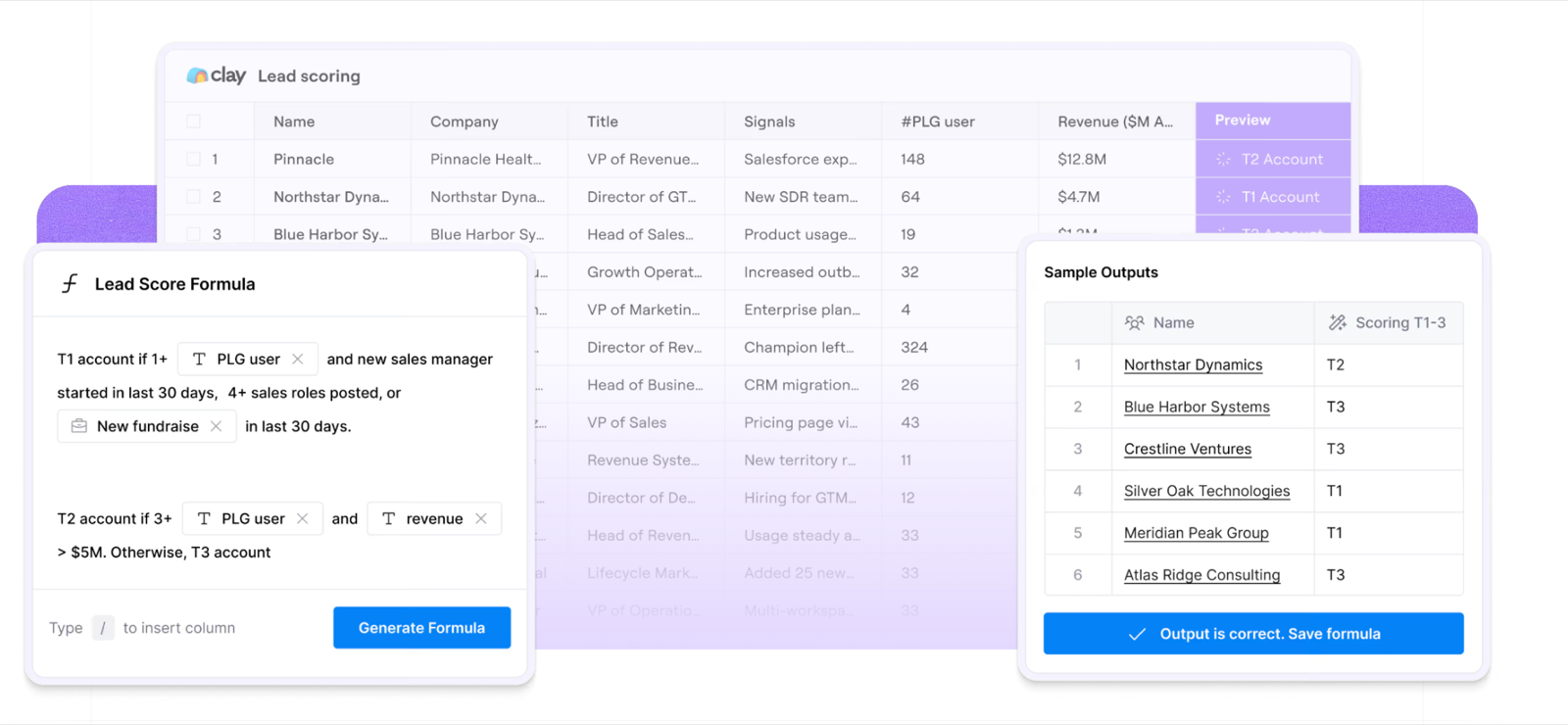
Clay is a GTM automation platform combining lead sourcing, data enrichment, AI research, and workflow automation. Unlike managed enrichment tools, Clay lets teams build custom waterfalls, choosing which providers to query and in what order.
For example, teams can check lower-cost providers first and only move to more expensive sources when no valid contact is found. Clay also supports bring-your-own API keys, allowing businesses to use existing data-provider subscriptions.
Another standout is Claygent, an AI research agent that gathers information from company websites and public sources. Teams can combine these findings with enrichment, buying signals, and lead scoring to create more targeted prospect lists.
- Custom waterfalls: Control provider order, conditions, and fallback rules.
- Claygent: AI-powered research for company and prospect information.
- Provider flexibility: Connect third-party sources using existing API keys.
- GTM automation: Combine enrichment, lead scoring, and buying signals.
- Integrations: HubSpot, Salesforce, APIs, and sales engagement platforms.
- Highly customizable enrichment workflows.
- Supports existing data-provider subscriptions.
- Combines AI research with enrichment and automation.
- Reusable templates simplify repeat workflows.
- Steeper learning curve than dedicated enrichment tools.
- Complex workflows require ongoing maintenance.
- Credit and action-based pricing can be difficult to predict.
- Free plan: 100 data credits and 500 actions/month.
- Launch: From $185/month with 2,500 data credits.
- Growth: From $495/month with 6,000 data credits.
- Usage model: Data credits cover provider data, while actions track workflow execution.
- Credit rollover: Available on paid plans, subject to plan limits.
4. BetterContact - Best for Affordable Waterfall Enrichment and Phone Verification
Best for: Small SDR teams and outbound agencies that need verified emails and mobile numbers without a large enrichment budget.
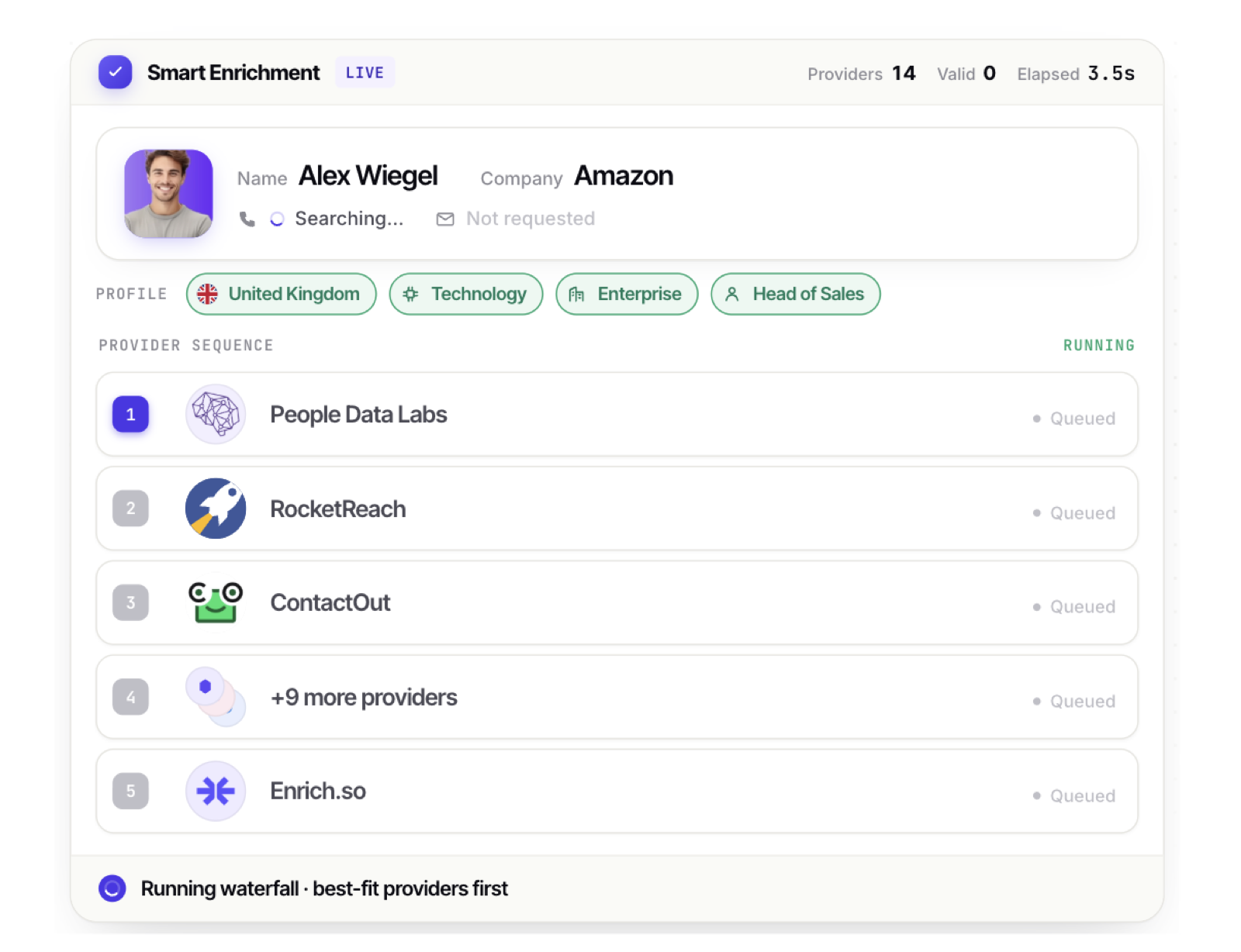
BetterContact is a B2B waterfall enrichment platform that combines 20+ data providers to find missing work emails and mobile numbers. It uses its BetterAI engine to select providers and search for contact details, with built-in verification before returning results.
A particularly useful feature for cold-calling teams is Connect Intelligence, which scores enriched mobile numbers based on their likelihood of connecting. This helps SDRs prioritize promising numbers rather than spending equal time on every contact. BetterContact also says it does not charge for numbers classified as unlikely to connect.
For email outreach, BetterContact integrates with Bouncer to verify addresses and offers catch-all verification on eligible plans. Teams can also export enriched contacts to HubSpot, Google Sheets, and other sales tools.
- Waterfall enrichment: 20+ providers for B2B emails and mobile numbers.
- BetterAI: Automatically selects data sources for contact enrichment.
- Connect Intelligence: Scores phone numbers by their likelihood of connecting.
- Email verification: Bouncer integration and catch-all verification.
- Integrations: HubSpot, Google Sheets, Clay, Make, Zapier, and API access.
- Affordable entry price for smaller teams.
- Charges credits only when valid contact data is found.
- Phone scoring helps prioritize cold-calling lists.
- Credit rollover and API access are available.
- Advanced phone and catch-all verification features require Pro.
- Mobile lookups consume 10 times more credits than emails.
- Less suited to complex, custom-built GTM automation than Clay.
- Free trial: 50 credits with no credit card required.
- Starter: $15/month for 200 credits.
- Pro: From $49/month for 1,000 credits.
- Enterprise: Custom pricing, advertised from $799/month.
- Credit usage: 1 credit per verified email and 10 per mobile number.
- Credit rollover: Unused credits roll over up to twice the monthly subscription allowance.
5. Surfe - Best for LinkedIn Prospecting and CRM Enrichment
Best for: SDRs and sales teams that prospect on LinkedIn and want to enrich contacts without constantly switching between their CRM and prospecting tools.
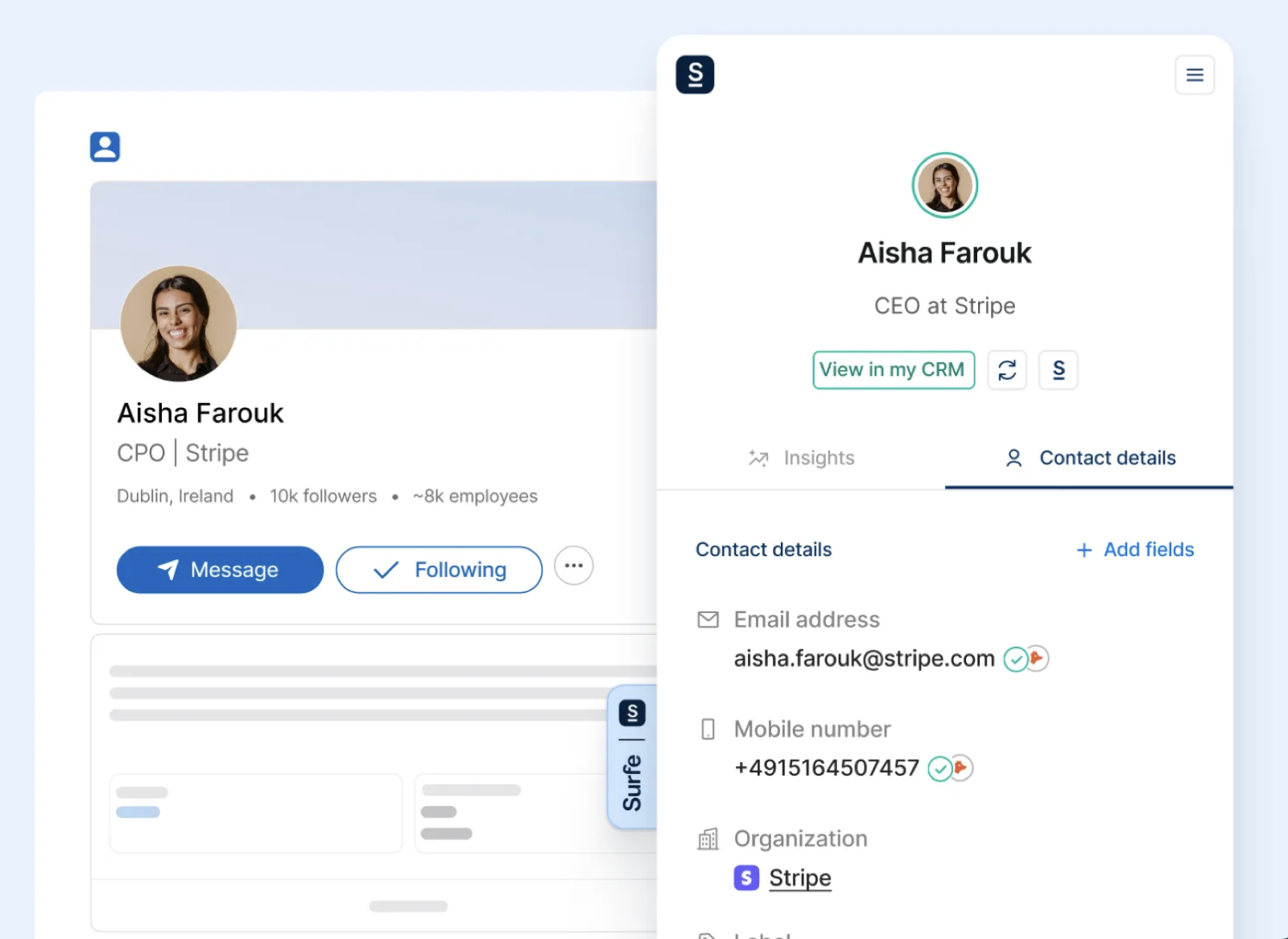
Surfe is a B2B prospecting and enrichment platform that connects professional networking activity with CRM workflows. It uses waterfall enrichment across 15+ data providers to find verified work emails and mobile numbers.
Its standout feature is its LinkedIn-to-CRM workflow. Reps can use Surfe’s browser extension to capture prospects, reveal contact details, and add them to HubSpot, Salesforce, or Pipedrive in one click. Bidirectional syncing also helps keep CRM records updated as reps prospect.
Surfe goes beyond contact lookup with company and people search, buying signals such as job changes and hiring activity, and account lookalikes on higher tiers. It also offers real-time waterfall enrichment, checking multiple sources when the initial provider cannot return a verified match.
- Waterfall enrichment: 15+ providers for verified emails and mobile numbers.
- LinkedIn prospecting: Capture and enrich contacts directly from professional profiles.
- CRM syncing: One-click contact creation and bidirectional record updates.
- Sales intelligence: Company search, job-change signals, and account lookalikes.
- Integrations: HubSpot, Salesforce, Pipedrive, Copper, and sales engagement tools.
- Reduces manual data entry during LinkedIn prospecting.
- Combines contact enrichment with CRM synchronization.
- Supports email and phone verification.
- Includes buying signals and prospect discovery features.
- Per-user pricing can become expensive for larger SDR teams.
- Free plan limits CRM additions and enrichment volume.
- Waterfall enrichment API access is restricted to Enterprise.
- Free: 20 email and 5 mobile lookups per month.
- Essential: $49/user/month with 150 email and 50 mobile lookups.
- Pro: $89/user/month with 1,000 email and 100 mobile lookups.
- Annual billing: Essential drops to $39 and Pro to $79/user/month.
- Enterprise: Custom pricing with API access, advanced security, and higher usage limits.
6. Cleanlist - Best for Bulk Lead Enrichment and Shared Credit Management
Best for: SDR agencies and B2B sales teams that need to enrich large prospect lists while managing usage across multiple reps.
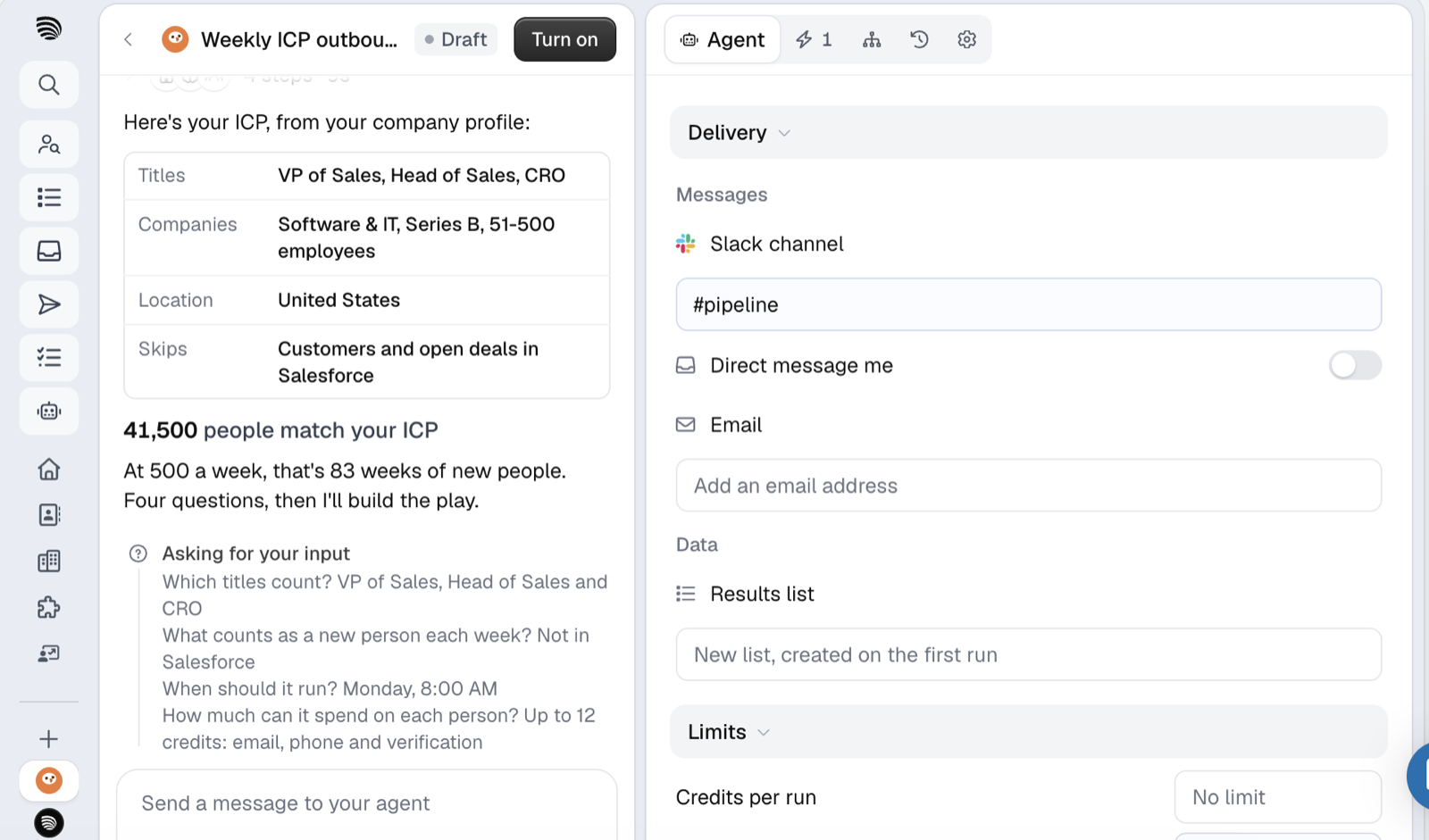
Cleanlist is a B2B data enrichment platform that searches 25+ providers to find verified work emails, direct-dial numbers, and company information. Its managed waterfall checks providers sequentially and stops when it finds a usable result.
One of Cleanlist’s more useful features is its shared credit pool. Each paid seat contributes credits to a common workspace balance, allowing teams to distribute enrichment usage across reps without managing separate allowances. Unused credits also roll over.
Cleanlist supports HubSpot and Salesforce enrichment, letting teams update missing contact fields in bulk. It also offers free people and company searches, so SDRs can identify prospects before spending credits on their contact information.
- Waterfall enrichment: 25+ providers for verified work emails and phone numbers.
- Shared credits: Pool enrichment allowances across team members.
- Bulk enrichment: Enrich CSV lists and existing CRM records.
- Free prospecting: Search people and companies without consuming credits.
- Integrations: HubSpot, Salesforce, Chrome extension, API, and MCP server.
- Shared credit pool makes team usage more flexible.
- No charges for unsuccessful email or phone lookups.
- Supports bulk CRM enrichment and credit rollover.
- Free people and company searches.
- Per-seat pricing can increase costs for larger teams.
- Mobile numbers consume 10 times more credits than work emails.
- Custom provider routing is less flexible than Clay.
- Free: 50 credits/month.
- Starter: $49/user/month with 750 credits per seat.
- Pro: $89/user/month with 1,500 credits per seat.
- Credit usage: 1 credit per verified work email and 10 per phone number.
- Annual billing: 25% discount, with credit rollover on paid plans.
7. Apollo.io - Best for Prospecting, Enrichment, and Outbound Sales in One Platform
Best for: B2B sales teams that want to find prospects, enrich contact details, and run outreach campaigns without managing separate tools.
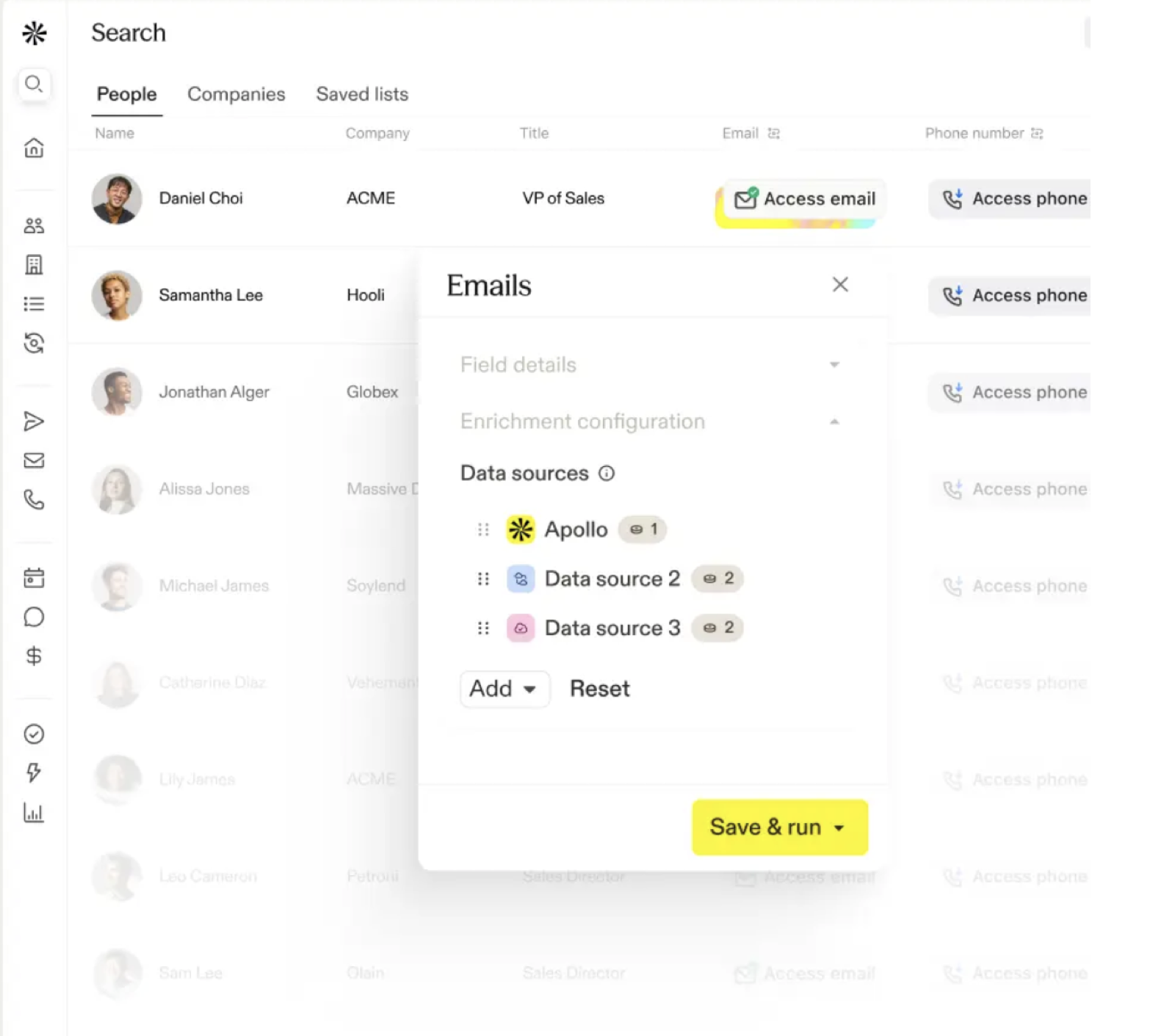
Apollo.io is a sales intelligence and engagement platform with a database of 240M+ contacts and 30M+ companies. Alongside prospecting and email sequencing, it offers waterfall enrichment to find missing work emails and phone numbers.
Apollo’s waterfall starts with its own database before checking 20+ third-party providers in a configurable order. Teams can add external providers using their existing API keys and connect optional validators to verify returned contact details.
One particularly useful feature is enrichment directly within sales sequences. SDRs can find missing emails or phone numbers when adding prospects to a campaign, without exporting lists to another tool. Apollo also tracks which providers return data and how many credits each consumes, helping RevOps teams monitor enrichment costs.
- Waterfall enrichment: Apollo’s database plus 20+ third-party providers for emails and phone numbers.
- Custom provider order: Configure fallback sources and connect existing provider accounts.
- Built-in prospecting: Search contacts and companies using advanced filters and buying signals.
- Sales engagement: Email sequences, calling features, and automated outreach workflows.
- Integrations: Salesforce, HubSpot, Chrome extension, and API access.
- Combines prospect discovery, enrichment, and outreach.
- Uses Apollo’s own database before third-party sources.
- Supports custom provider ordering and optional validation.
- Provides provider-level enrichment and credit usage reports.
- Third-party providers and validation can increase credit consumption.
- Unverified results may still incur charges during waterfall enrichment.
- Less cost-effective for teams that only need occasional contact enrichment.
- Free: $0 with 900 credits per year.
- Basic: $49/user/month with 30,000 annual credits.
- Professional: $79/user/month with 48,000 annual credits.
- Organization: $119/user/month with 72,000 annual credits, minimum three seats.
- Billing: Listed paid prices require annual billing. Waterfall credit costs vary by provider, and unused credits do not roll over.
How to Choose the Right Waterfall Enrichment Tool
Finding the platform with the largest number of data providers is a reasonable starting point, but it does not tell you how useful the results will be.
For SDR and cold-calling teams, a better evaluation starts with these six considerations.
Subscription prices alone rarely tell the full story.
Check the verified contact match rate
Contact find rates can vary depending on the provider’s data sources, verification methods, and target market. A higher match rate may indicate broader coverage, but it’s also worth checking whether the returned details are accurate and usable.
When comparing tools, ask how they verify emails and phone numbers, and test them against a representative sample of your prospects. Focus on the percentage of usable contacts rather than the total number of matches.
For example, a benchmark on 567 B2B leads reported 82% valid-email coverage for Pipecorn, 73% for BetterContact, and 71% for FullEnrich. These figures offer a reference point, although results may differ depending on your prospect list and market.
Prioritize phone coverage if cold calling is your main channel
Email enrichment and phone enrichment solve related but different problems.
A verified email helps protect your email campaign from invalid addresses. A verified mobile number gives your SDR a potential direct route to the prospect.
For teams using a parallel dialer such as Skipcall, phone data quality is especially important. A dialer can automate the calling process, but inaccurate numbers still consume calling capacity and create unnecessary work.
When comparing enrichment platforms, test how many relevant mobile numbers each one returns, how often they connect to the correct contact, and what each usable number costs.
Also ask what happens to a number after it fails. Some platforms feed dialer outcomes back into their data, so a wrong or disconnected number is corrected automatically instead of turning up again in your next campaign.
Compare the cost per usable contact
Subscription prices alone rarely tell the full story.
One tool may have a cheaper monthly plan but consume more credits per phone lookup. Another may charge more upfront but provide better coverage or include verification.
To evaluate the actual cost, divide your total enrichment spending by the number of verified, usable contacts returned.
For phone-first teams, cost per verified, correct direct-dial number is often the most relevant measure.
Look at CRM and workflow integrations
Enriched data needs to reach the tools your sales team already uses.
If your reps prospect in LinkedIn, manage opportunities in HubSpot, and call contacts through a dialer, moving data manually between systems can become a significant administrative task.
Look for CRM synchronization, CSV exports, API access, and workflow integrations that make it easier to transfer enriched records. It is also worth checking how tools handle duplicate records, missing fields, and updated contact information.
Consider the markets you prospect in
Geographical coverage matters, particularly for international sales teams. A vendor may perform well for US SaaS companies but have weaker results for French, German, or other European prospects. Even within the same country, coverage can differ depending on company size and industry.
If your SDRs target several markets, test each platform against a sample from every major region. It is more useful than relying on an overall match-rate claim that may reflect a very different prospecting audience.
Ask whether the data gets better after you use it
Contact data starts going out of date the moment it’s verified. People change jobs, numbers get reassigned, and inboxes close. A single verification at lookup time tells you a contact was valid on that day, not that it’s still valid.
When comparing vendors, ask how their data is kept current. Do user corrections, such as bounced emails or wrong numbers, flow back into the dataset? Does the platform learn from real call outcomes in your dialer? Tools that feed these corrections back give you cleaner lists with every campaign, while a one-off lookup only tells you what was true on the day you ran it.
How to Use Waterfall Enrichment in Your Cold Calling Workflow
Once you have chosen an enrichment platform, the next step is to connect it to the way your team prospects.
A practical workflow could look like this:
- 01
Build a targeted prospect list.
Start with companies and decision-makers that match your ideal customer profile, using relevant filters or buying signals.
- 02
Run waterfall enrichment.
Find missing mobile numbers and work emails using multiple data providers.
- 03
Validate and clean the records.
Remove duplicates, filter unusable numbers, and check that prospects still work at the companies on your list.
- 04
Prepare the calling campaign.
Export usable contact details into your CRM or dialing platform, then segment the list by role, industry, or priority.
- 05
Call, review, and update.
Use your dialing software to work through the list, capture outcomes, and update the CRM with the latest contact information. If your enrichment platform is connected to your dialer, outcomes such as wrong numbers or disconnected lines also flow back to it automatically, so each list is cleaner than the last.
The goal is to give SDRs a reliable list before their calling session starts.
Skipcall, for example, offers power dialing and parallel dialing capabilities for sales teams, along with CRM integrations and call management features. Its parallel dialer supports up to four simultaneous calls, making clean contact data an important part of keeping the process productive.
Conclusion
The best waterfall enrichment tool depends on your sales workflow. Some teams need better mobile number coverage, while others prioritize lower enrichment costs, data verification, or automated prospecting.
A cheaper lookup isn’t much of a saving if your SDRs still spend time calling incorrect numbers.
Before choosing, test 100–200 contacts from your target market. Compare verified match rates, cost per usable contact, and how easily the data moves into your CRM or dialer. A cheaper lookup isn’t much of a saving if your SDRs still spend time calling incorrect numbers.
If you want prospect discovery, verified contact enrichment, and buying signals in one workflow, with data that keeps improving as your team calls it, Pipecorn is worth exploring. Its free plan lets you test the data on your own market before committing to a paid subscription.